Journey: SNAP change of circumstances during a pending fair hearing
On this page
A SNAP household files an application through the applicant portal and is certified. The caseworker then schedules a real adverse action — a termination of the enrollment — and the household files a fair hearing bound to that action: the PAMMS Chart B2 continued-benefits election rides the binding, so benefits continue while the hearing is pending. While that hearing is still open, an unrelated change of circumstances occurs (a move to pricier housing). The caseworker acts on the change and re-determines; the benefit rises, the household files a second hearing on the new action — a narrative grievance that carries no continued benefits (there is no adverse action to bind: the benefit went up) — and the original hearing is undisturbed — the coexistence that 7 CFR 273.15(k) bounds. The applicant then signs back in and views the outcome.
Reproducibility tier: Worker-driven. The applicant files the SNAP front door
live (and signs back in to view /home + /letters), but every substantive beat —
recording the wage, the rents + the mailing address, opening the certification,
ensuring the enrollment + scheduling the termination, and filing both fair
hearings — is caseworker-driven: the applicant portal has no change-reporting or
appeals-filing UI. For a live demo, present the applicant filing + view-back on the
portal and the whole middle of the story on the worker portal. All dates are real
dates — this journey needs no clock helpers.
This walkthrough is paired with the automated spec
tests/e2e/specs/journey-snap-change-during-pending-hearing.spec.ts, covering
scenario snap.hearings.change-during-pending-hearing. The screenshots below are
captured by that spec. See Verifying the journey to run it.
Personas & credentials
| Persona | Credentials / identity | Role in the journey |
|---|---|---|
Applicant |
Files at the portal |
Files the SNAP application; at the end signs back in to view the outcome. The mid-journey appeal beats are worker-only (no applicant appeals UI). |
Caseworker |
Worker portal, Keycloak login |
Records the wage, both rents + the mailing address; opens the certification; ensures the live enrollment + schedules the termination; files both appeals; re-determines; confirms the notice. |
Bring-up & reset
cargo xtask dev start --profile full     # SNAP + appeals + portal + notices
cargo xtask seed --seed 42               # deterministic fixtures
Reset between manual runs: cargo xtask migrate rollback (~5–10s; the Postgres DBs
only) plus a fresh browser context / incognito for clean applicant + worker
sessions. The Demo Runbook owns the full bring-up,
snapshot/rollback, and per-journey starting-point detail.
Concrete precondition
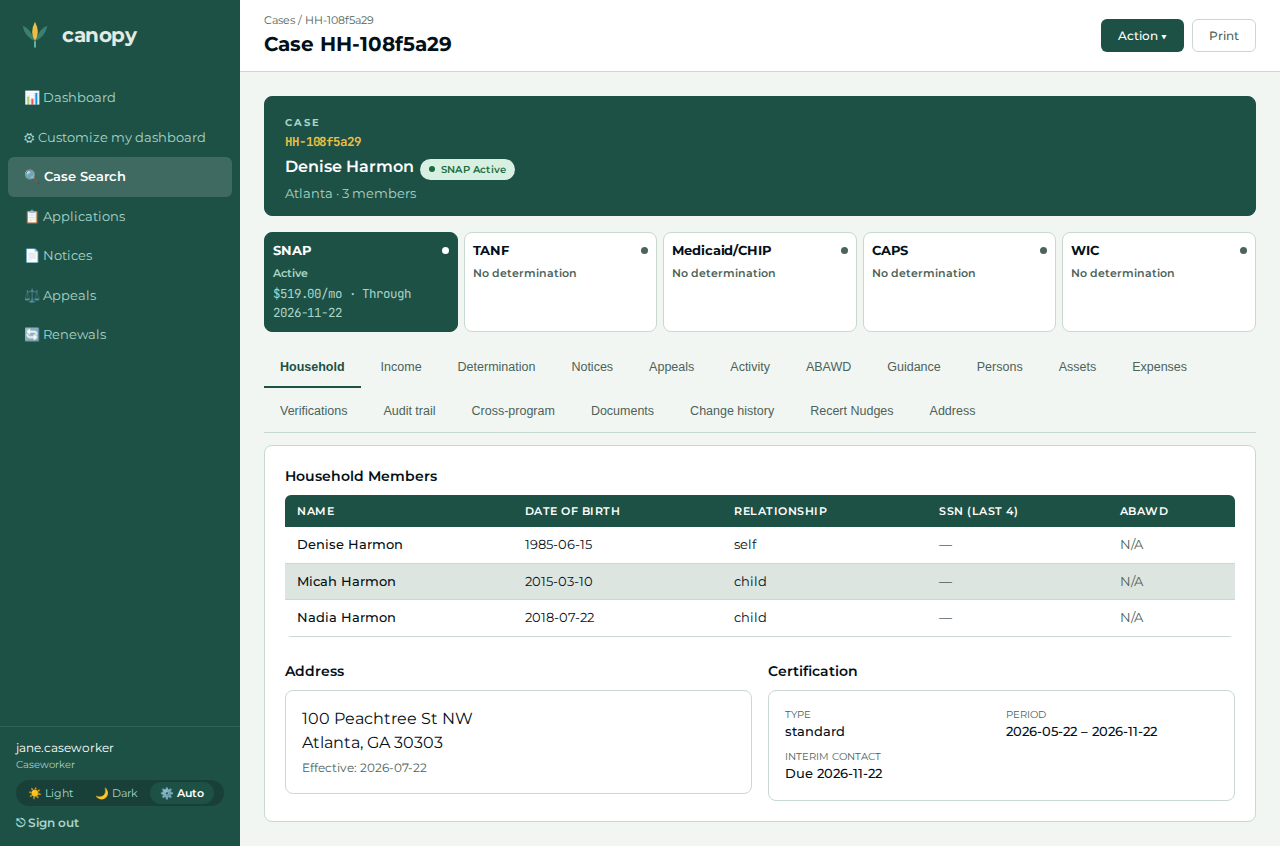
The applicant files, at /apply, a size-3 household — an adult head with no
income entered at filing plus two dependent children:
| Member | Name | Date of birth | Relationship |
|---|---|---|---|
Head |
Denise Harmon |
1985-06-15 |
self |
Child |
Micah Harmon |
2015-03-10 |
child |
Child |
Nadia Harmon |
2018-07-22 |
child |
The portal captures identity + composition only — never amounts — so the case starts with zero income/expense facts. The caseworker then records, on this exact household:
-
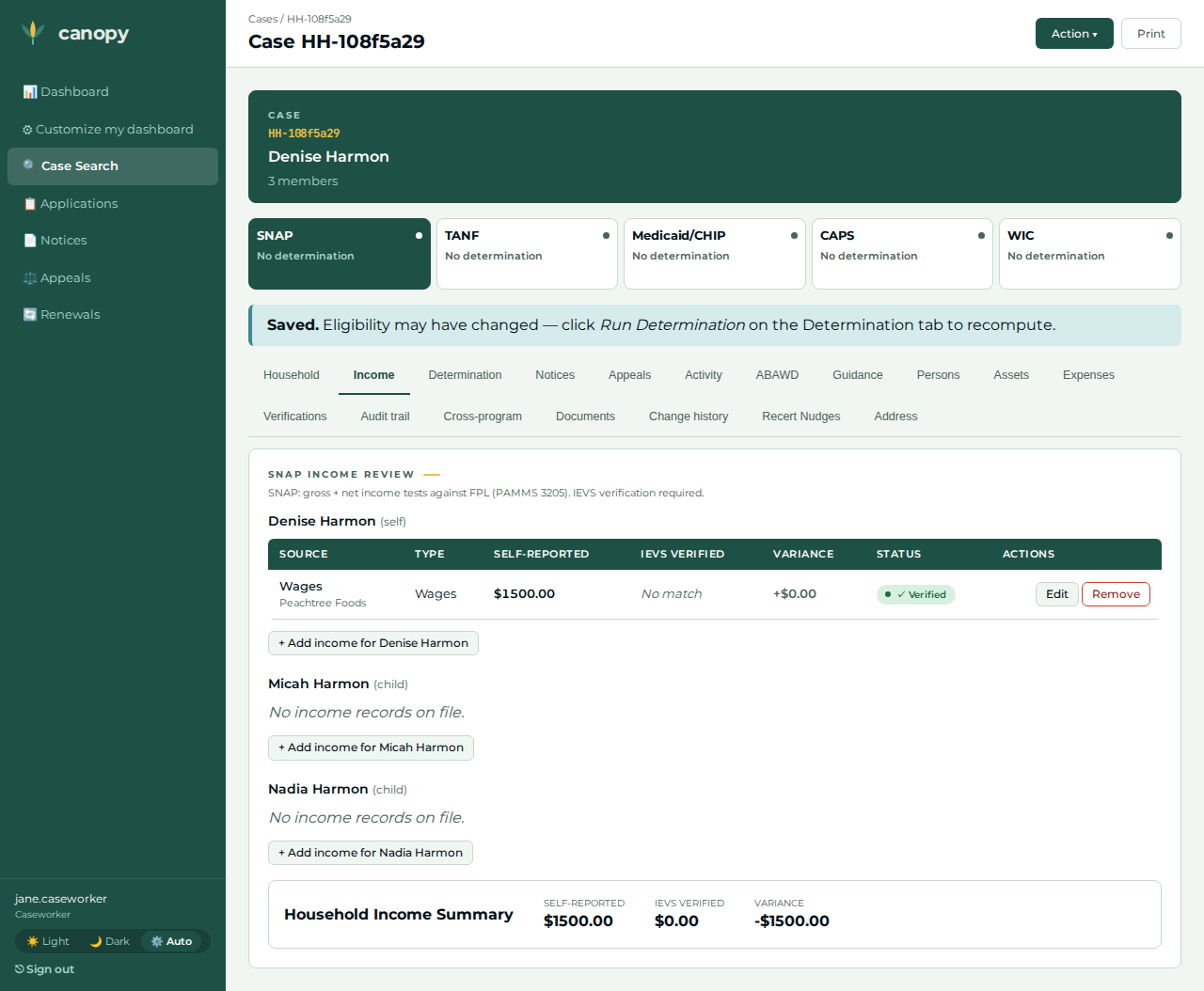
Wages — head,
$1,500 / month, effective today (income type wages, employer Peachtree Foods). -
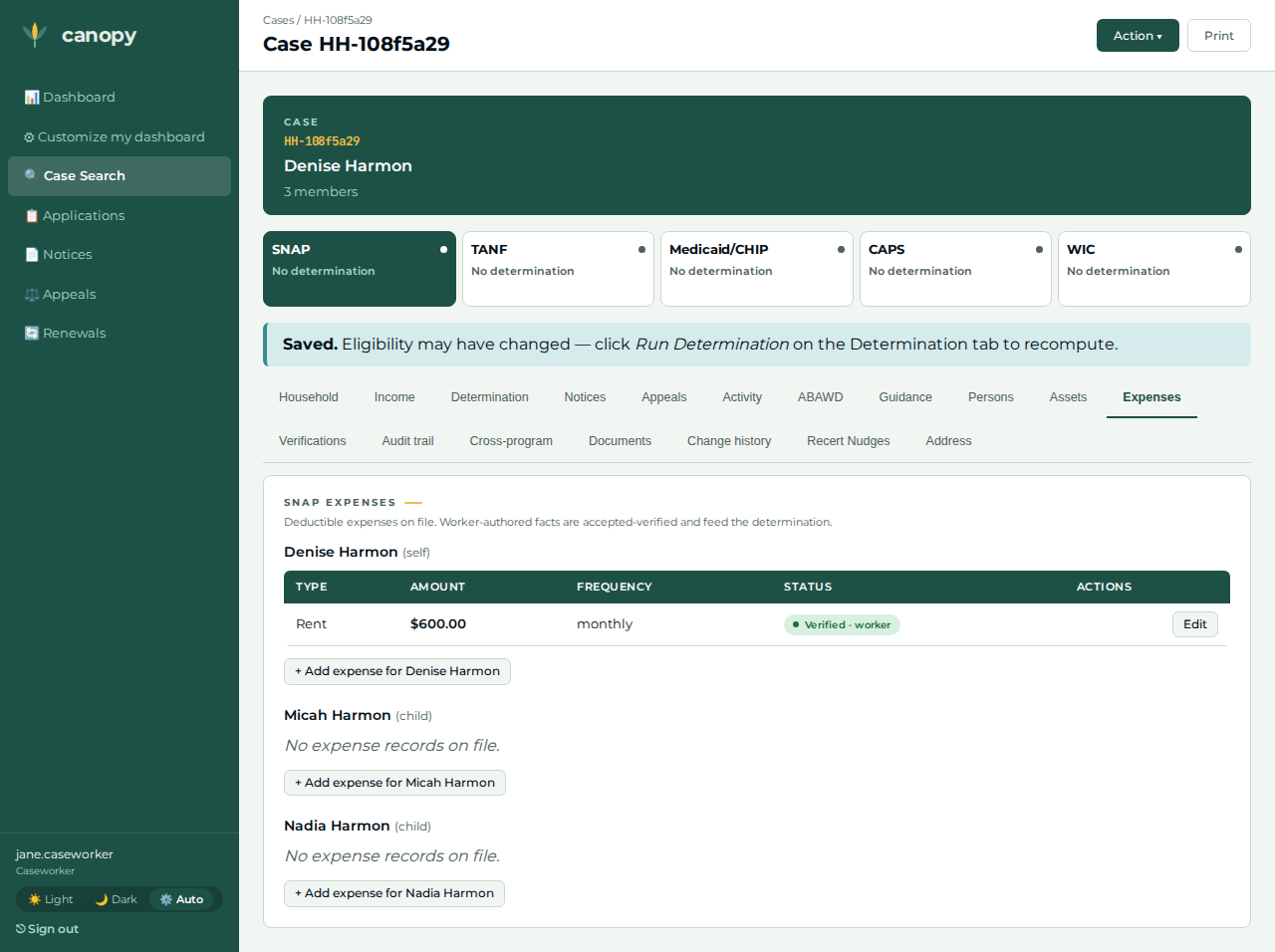
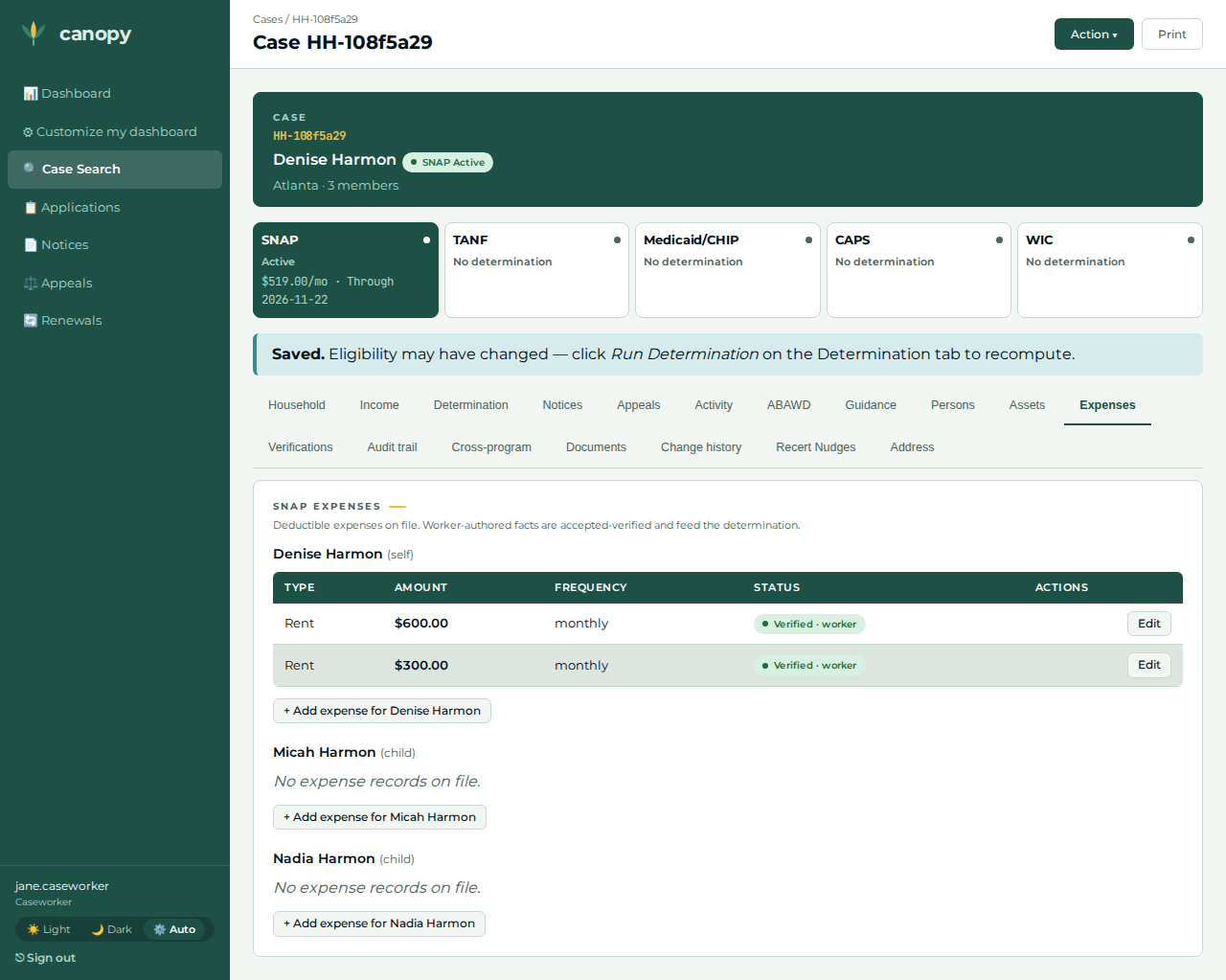
Baseline rent — head,
$600 / month, effective today (above the 50%-of-income threshold so it yields an excess-shelter deduction, below the cap). -
Mailing address — head, type mailing, 100 Peachtree St NW, Atlanta, GA 30303, effective today. A portal-filed application drops the applicant’s apply address at finalize (#1137), and the notices recipient gate refuses a head with no usable postal address — without this fact no notice or letter beat below can pass.
-
Certification window — start = 2 months ago, end = 4 months ahead.
-
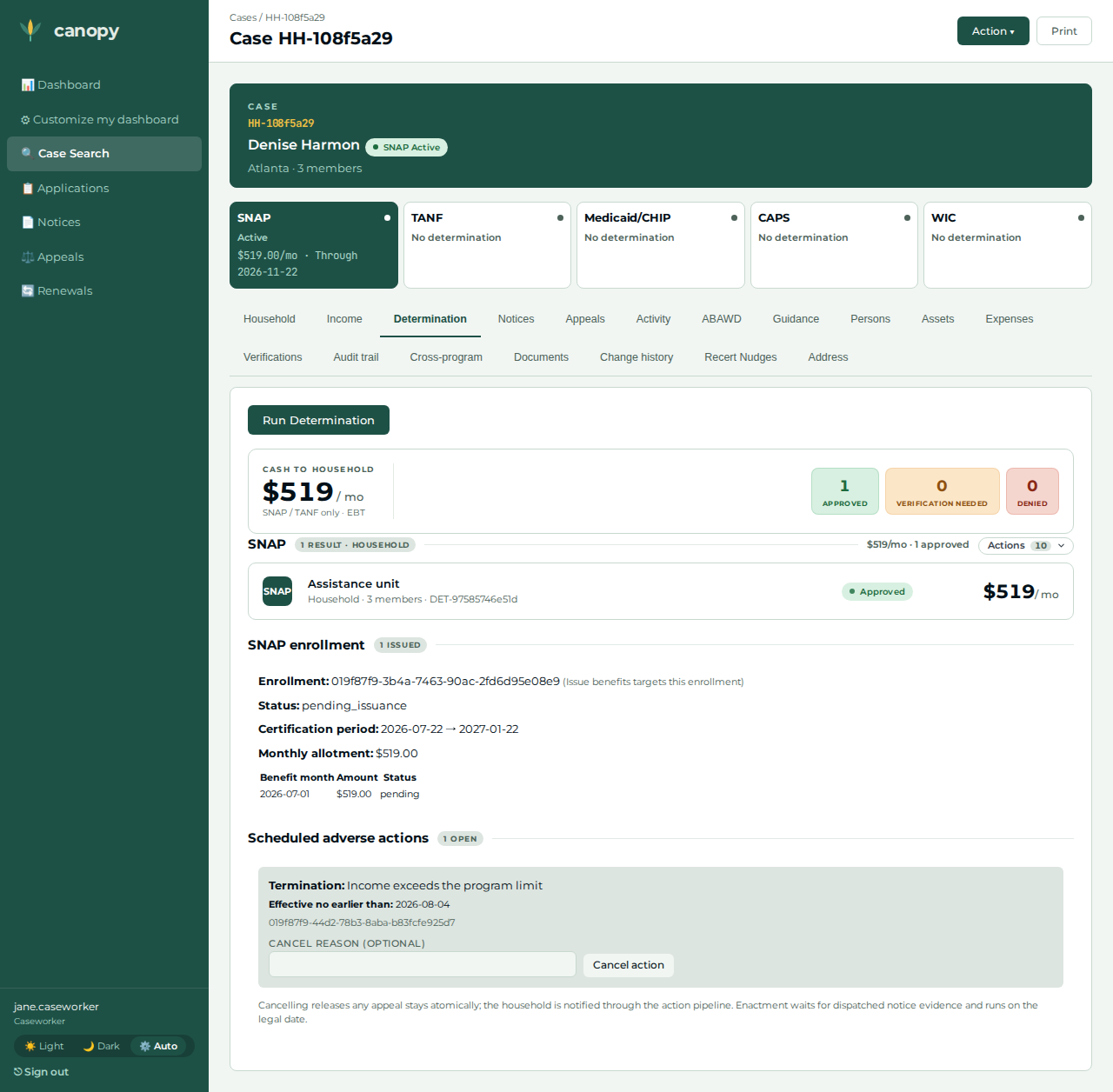
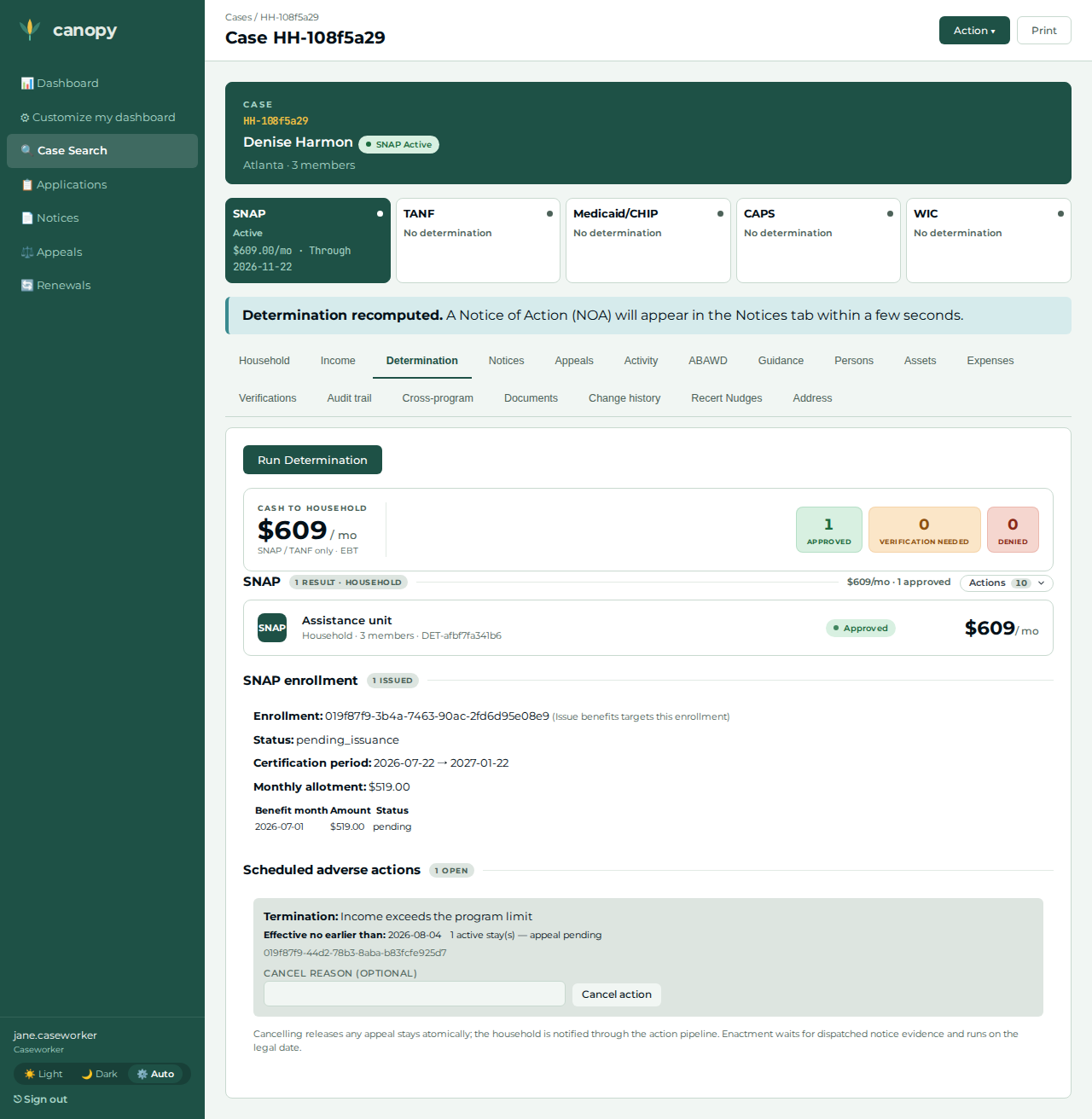
Enrollment + termination — an enrollment over the same window (auto-enroll usually opens it from the approval event first, so the manual create may legitimately hit the one-live-enrollment fence, #1130 — either outcome leaves a live enrollment), then a scheduled termination, reason income exceeds limit (#1103) — the real adverse action appeal #1 binds to.
-
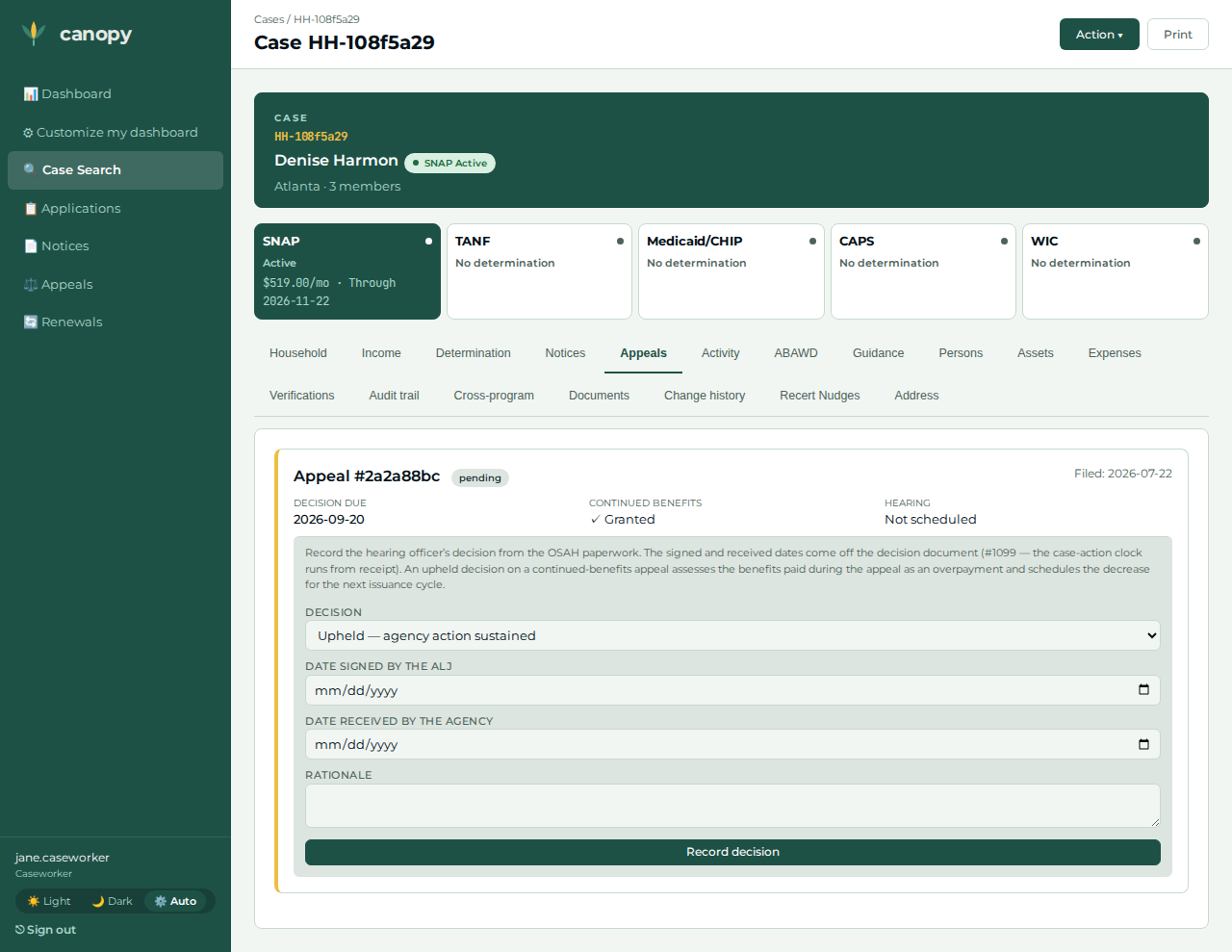
Appeal #1 — filed against the scheduled termination; the Chart B2 continued-benefits election rides the binding, with the repayment-obligation disclosure attested on the form. No adverse-action effective date is typed anywhere (backdating/future-dating died with #1098).
-
Rent increase — head, a second rent row of
$300 / month, effective today (the unrelated move; total shelter becomes$900). -
Appeal #2 — filed with no adverse action selected (the benefit rose, so there is nothing to bind): a narrative grievance, which can never carry continued benefits.
These amounts are construction inputs, never asserted policy values.
The walkthrough, step by step
| # | Screen | Action | Expected | Screenshot |
|---|---|---|---|---|
01 |
Applicant |
At |
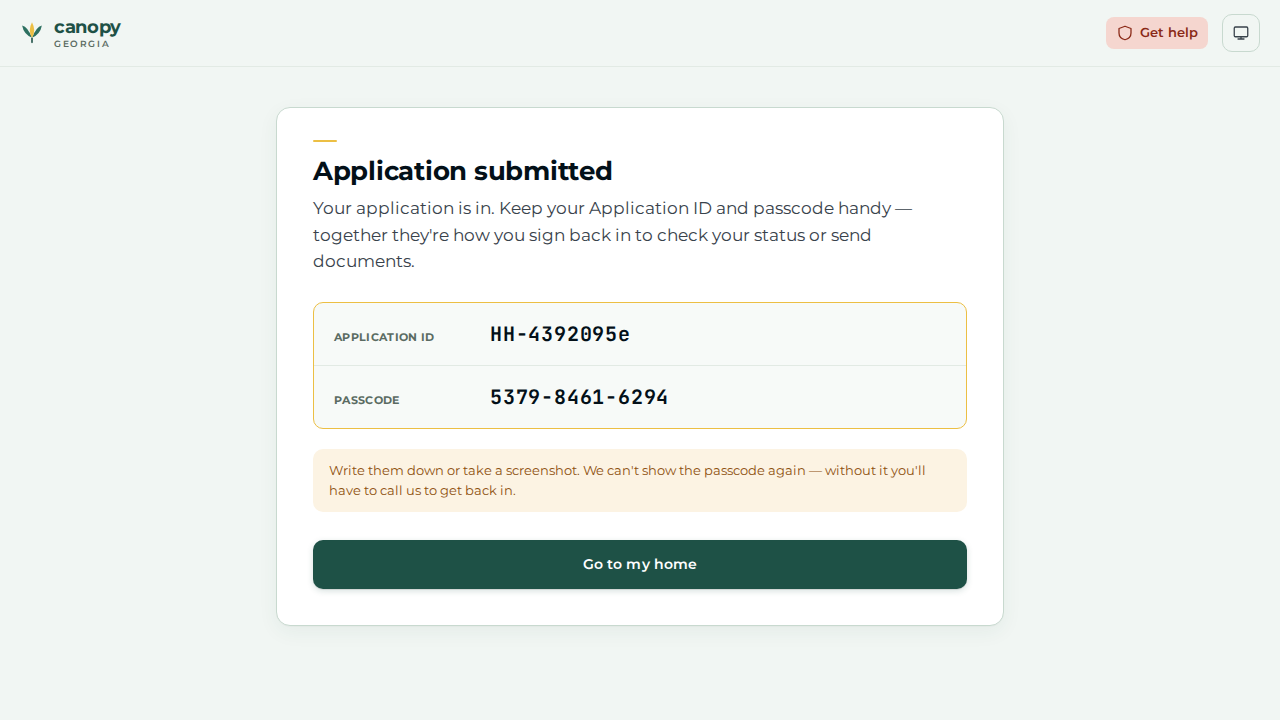
The Application submitted screen shows the one-time |
|
02 |
Caseworker |
Open the case ( |
The wage row is recorded — the earner’s income the portal did not capture. |
|
03 |
Caseworker |
Open the Expenses tab → + Add expense for the head → expense type rent, |
The rent row is recorded — the household’s baseline shelter cost. |
|
04 |
Caseworker |
On the Determination tab, open the Action ▾ menu → Run Determination. |
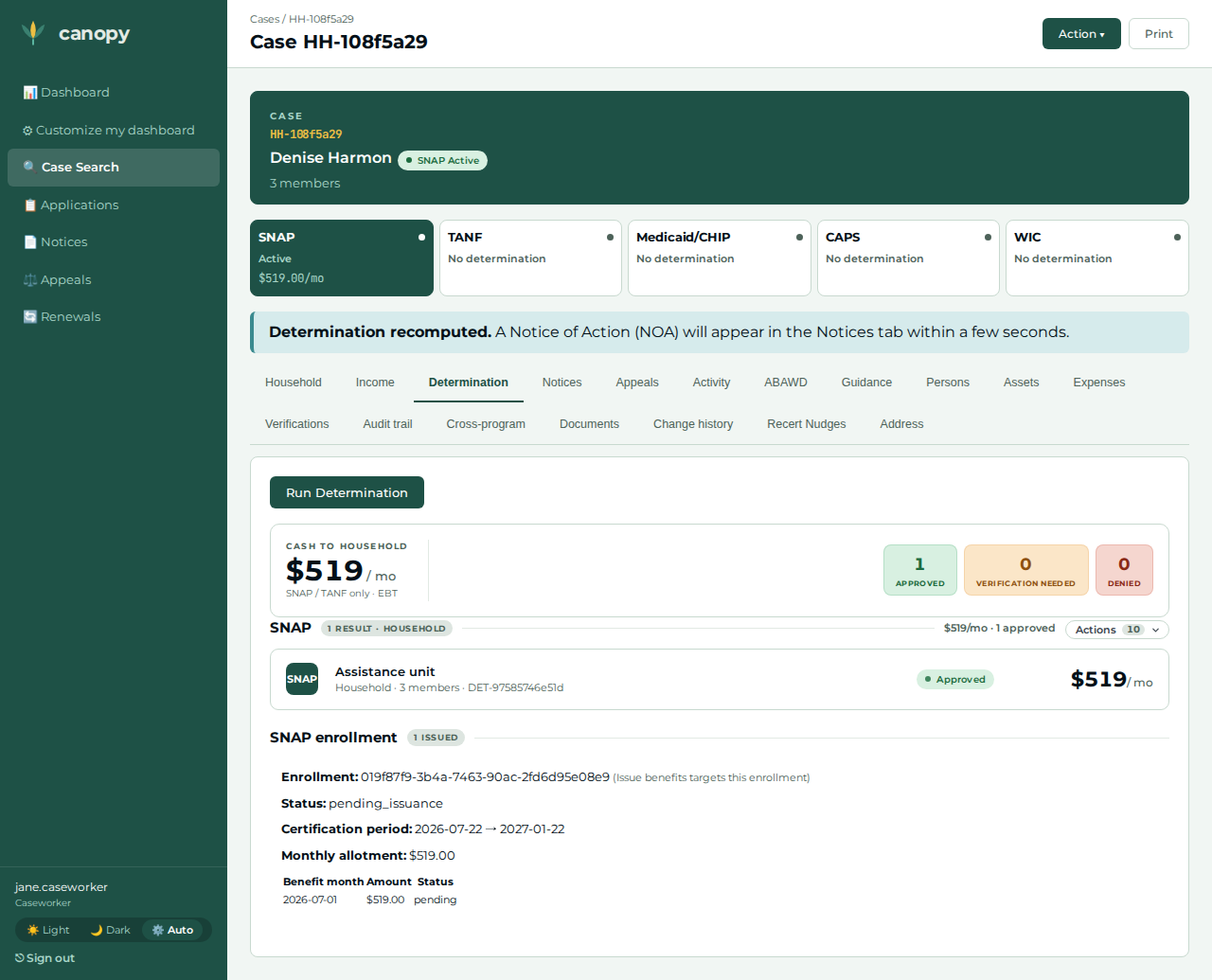
Approved with a monthly benefit — the baseline (and the determination the certification + appeal #1 attach to). |
|
05 |
Caseworker |
Open the Address section → the head’s + Add address → type mailing, 100 Peachtree St NW, Atlanta, GA 30303, effective date → Add. |
The mailing address is recorded. The portal-filed case dropped the apply address at finalize (#1137); without this fact the notices recipient gate blocks the NOA and the outcome letter, and steps 12 + 14 cannot pass. |
(no screenshot — not captured by the paired spec) |
06 |
Caseworker |
On the Determination tab, open the program group’s Actions panel → Create certification; enter the certification start and end dates → Create certification. |
Redirects to the Household tab, whose Certification card now shows the period. |
|
07 |
Caseworker |
Actions panel → Create enrollment over the same window → submit; then Actions panel → Schedule termination, reason income exceeds limit → Schedule termination. |
The create either succeeds or reports the one-live-enrollment fence (auto-enroll already opened it, #1130) — both leave a live enrollment. The scheduled-action card then appears: the real adverse action appeal #1 binds to (#1103). |
|
08 |
Caseworker |
Actions panel → File appeal; pick the requestor (the head is pre-selected), select the scheduled termination as the contested adverse action, and check the repayment-obligation disclosed attestation → File appeal. |
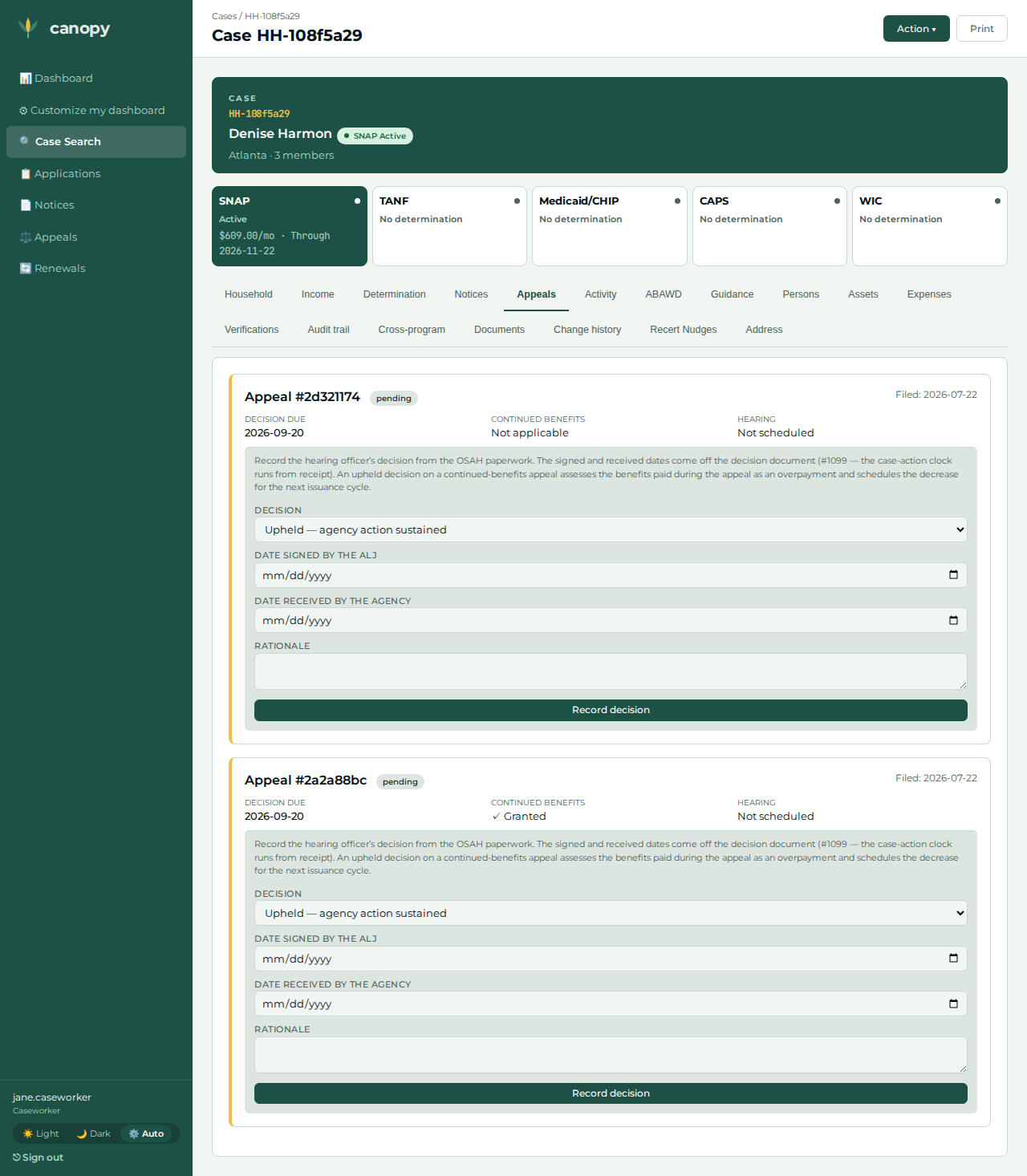
Redirects to the Appeals tab, which shows one pending appeal with continued benefits granted — the Chart B2 election rode the binding, and the synchronous fenced stay landed before the grant committed. |
|
09 |
Caseworker |
Open the Expenses tab → + Add expense for the head → expense type rent, |
A second rent row is recorded; the household’s total shelter cost rises to |
|
10 |
Caseworker |
Return to the Determination tab → Action ▾ → Run Determination again. |
Still Approved, but the monthly benefit is higher than the baseline (the larger excess-shelter deduction lowered net income). |
|
11 |
Caseworker |
Actions panel → File appeal again — leave the adverse action unselected (the benefit rose; there is nothing to bind) → File appeal. |
The Appeals tab now shows two appeals: the first still pending with continued benefits, the second a narrative grievance showing no continued benefits — post-#1098 a grievance can never carry them. The asymmetry is itself an oracle. |
|
12 |
Caseworker |
Open the Notices tab. |
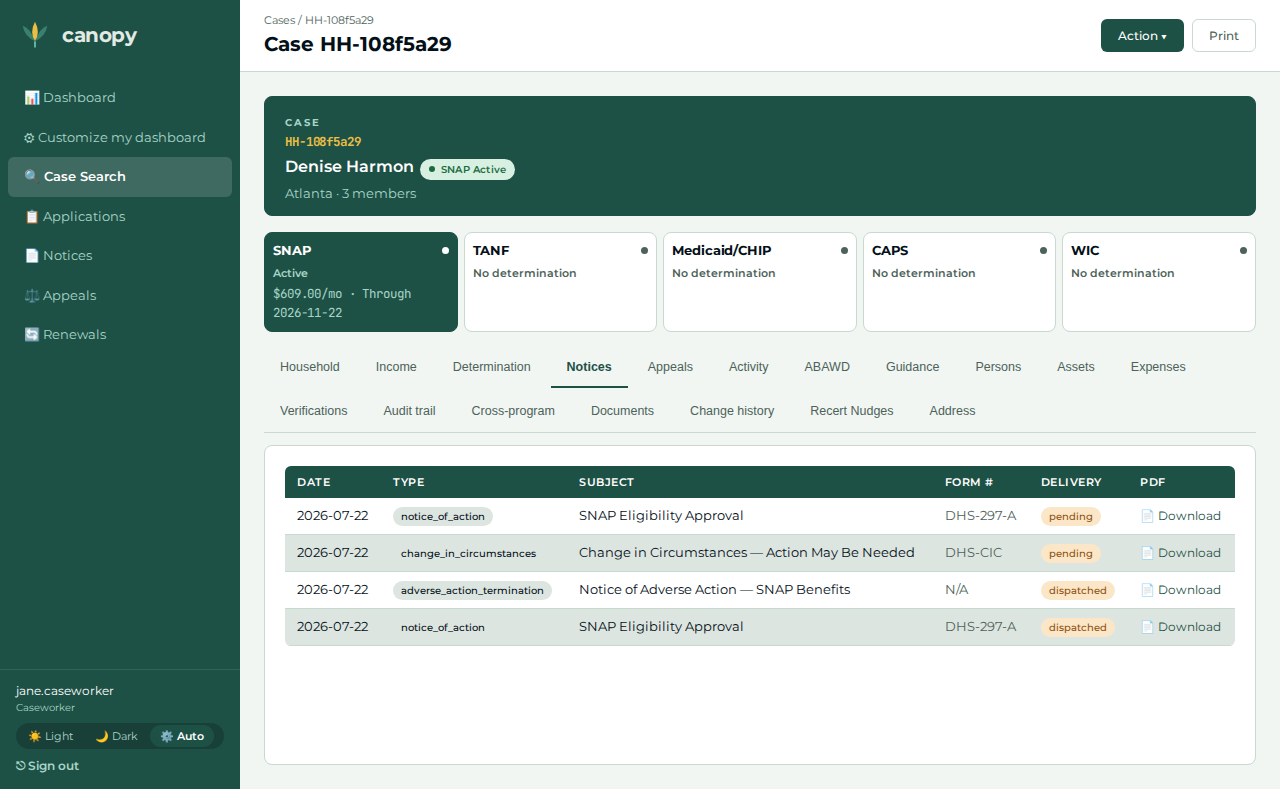
A |
|
13 |
Applicant |
At |
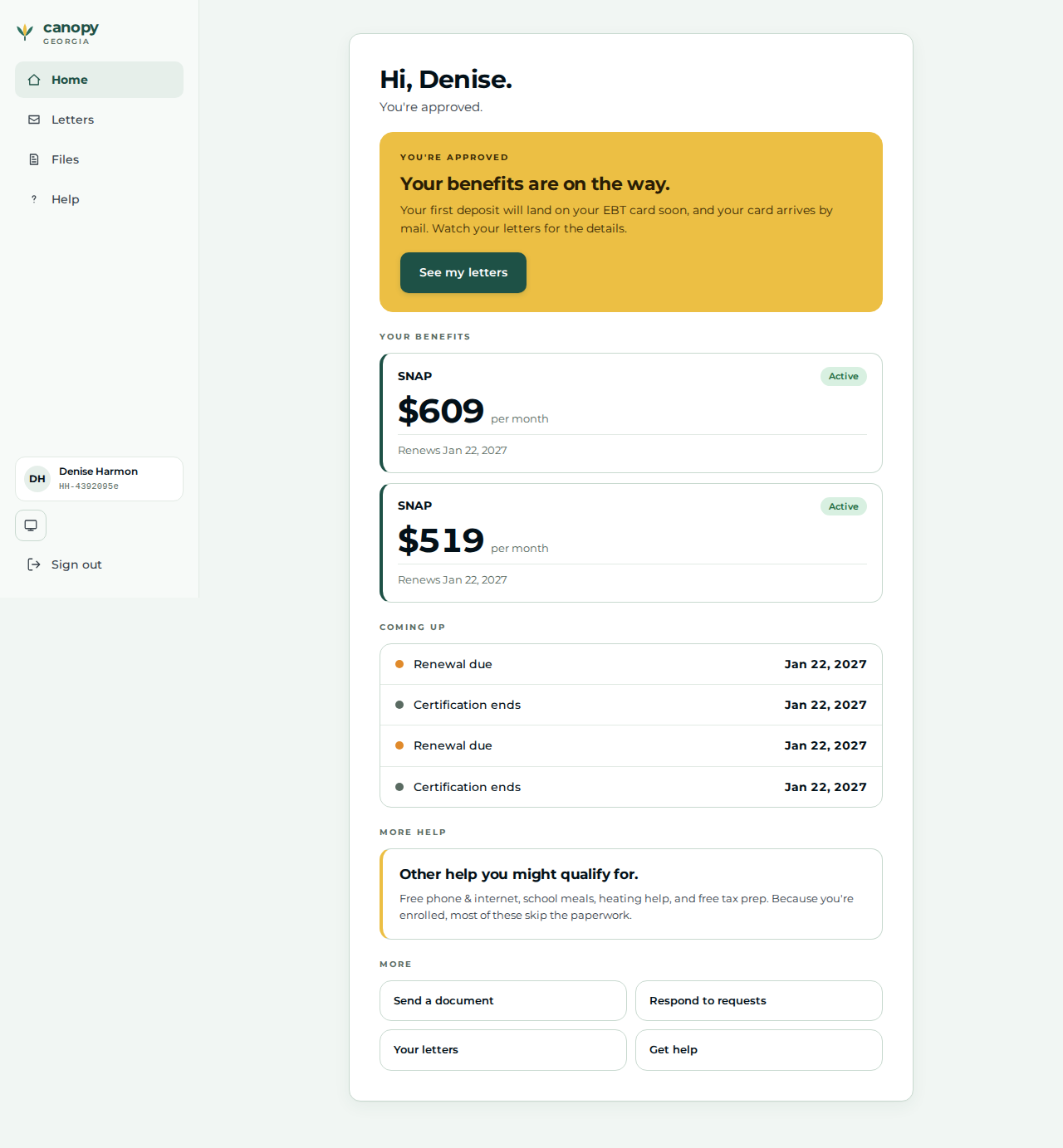
The applicant home greeting renders for the household that filed. |
|
14 |
Applicant |
Open |
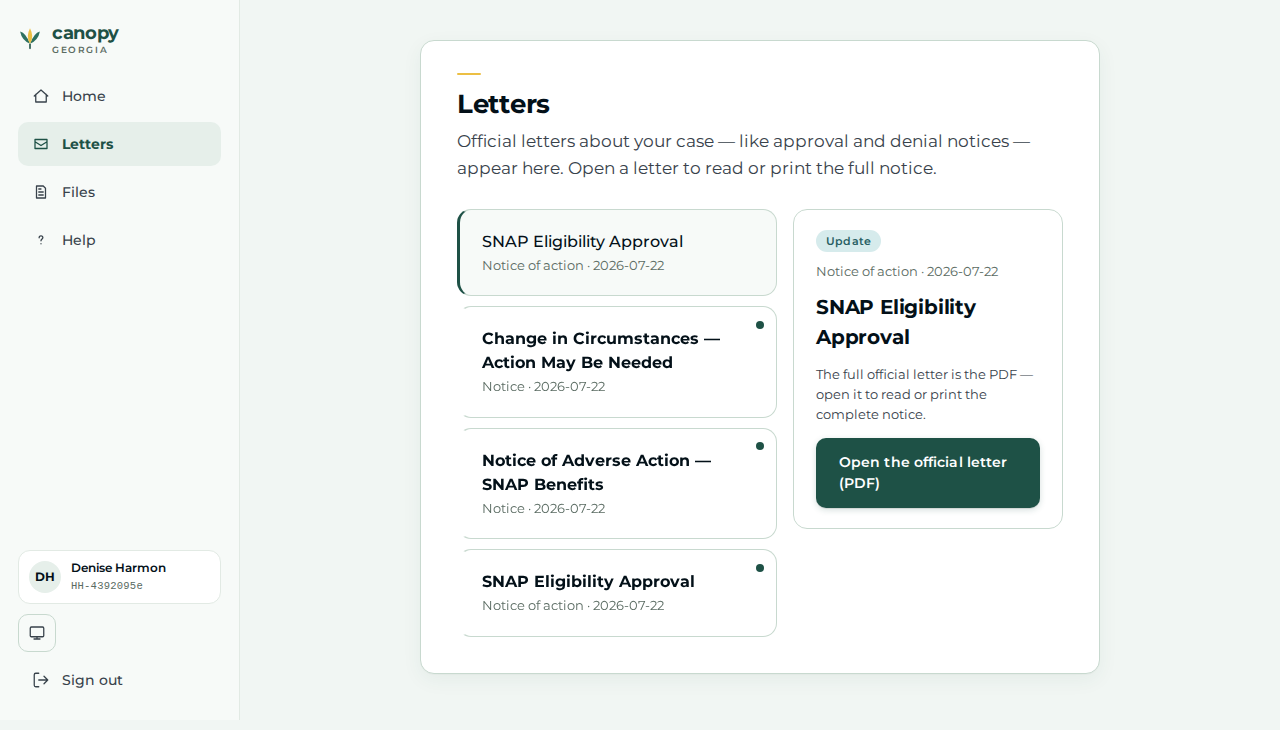
The determination Notice of Action reached the applicant’s Letters page — the loop closes on the same portal the case was filed from. |
|
Expected outcome / oracle
The oracle is relational, never a policy dollar figure:
-
Benefit rises. The post-change re-determination’s monthly benefit is strictly greater than the baseline — acting on the unrelated shelter increase raised the excess-shelter deduction, which lowered net income and raised the allotment.
-
Appeal #2 contests the new action. Appeal #2’s persisted contested determination is the post-change determination and differs from appeal #1’s — a real "on the new action" check, not a bare count of two appeals.
-
The original hearing is undisturbed. Appeal #1, re-read after the re-determination, is still
pending— acting on the unrelated change did not disturb the pending hearing (appeals and determinations are isolated, ADR-001). -
Continued-benefits asymmetry. Appeal #1 — bound to the scheduled termination — carries continued benefits; appeal #2 — a grievance about a benefit increase — provably carries none (post-#1098 a narrative filing can never carry continued benefits). The asymmetry is visible in the browser on the two appeal cards.
Honest scope
-
The applicant files the front door only. The portal has no change-reporting or appeals-filing UI, so every mid-journey beat (the wage, both rents, the address, the certification, the enrollment + termination, and both appeals) is caseworker-driven; the applicant’s role is the initial filing plus the final view-back.
-
No appeal reason and no worker attribution on file. The file-appeal form records who is filing (a household member) but no appeal reason/basis and no worker attribution — the appeals contract carries neither on filing (only a decision later carries a basis).
-
Appeal #2’s "hearing on the new action" is narrative. The grievance is filed against the household’s current (post-change) determination, but the appeals service does not verify the contested determination changed anything; the spec’s oracle pins the persisted determination id instead. Appeal #1’s adverse action, by contrast, is a real scheduled termination (#1103).
-
The changed posture is not signalled to the hearing authority. There is no mechanism linking a re-determination to a pending hearing’s authority, so "the hearing authority is notified of the changed posture" is not modelled — the journey demonstrates the structural coexistence (a pending hearing undisturbed, the benefit adjusted, a second hearing requested).
-
Shelter is the sum of shelter-cost rows. The move is modelled as its shelter-cost consequence: a second rent row on the Expenses tab (the endpoint adds rows, it does not edit). The in-UI address surface is real — this journey uses it to record the head’s mailing address (#1137) — but the rent rows, not the address, are what the determination reads.
Verifying the journey
cargo xtask e2e --devstack-profile full -- \
  specs/journey-snap-change-during-pending-hearing.spec.ts --project journey
The spec files the SNAP application through the real /apply portal front door (on
a separate applicant context), then drives the worker steps above through the portal
BFF — recording the wage, both rents + the mailing address, running the two
determinations, opening the certification, ensuring the enrollment + scheduling the
termination, and filing both appeals (appeal #1 action-bound with the Chart B2
election, appeal #2 a narrative grievance) — before signing the applicant back in to
view /home + /letters. It captures the applicant (app-) and worker (step-)
screenshots into test-results/e2e/walkthroughs/… for commit into
docs/modules/ROOT/assets/images/walkthroughs/…. The correctness oracles are read
back from the appeals service: the benefit rises, appeal #2’s contested
determination is the post-change one (distinct from appeal #1’s), appeal #1 stays
pending across the re-determination, and only appeal #1 carries continued
benefits.