Journey: a change reported through the TANF case counts as a SNAP report
On this page
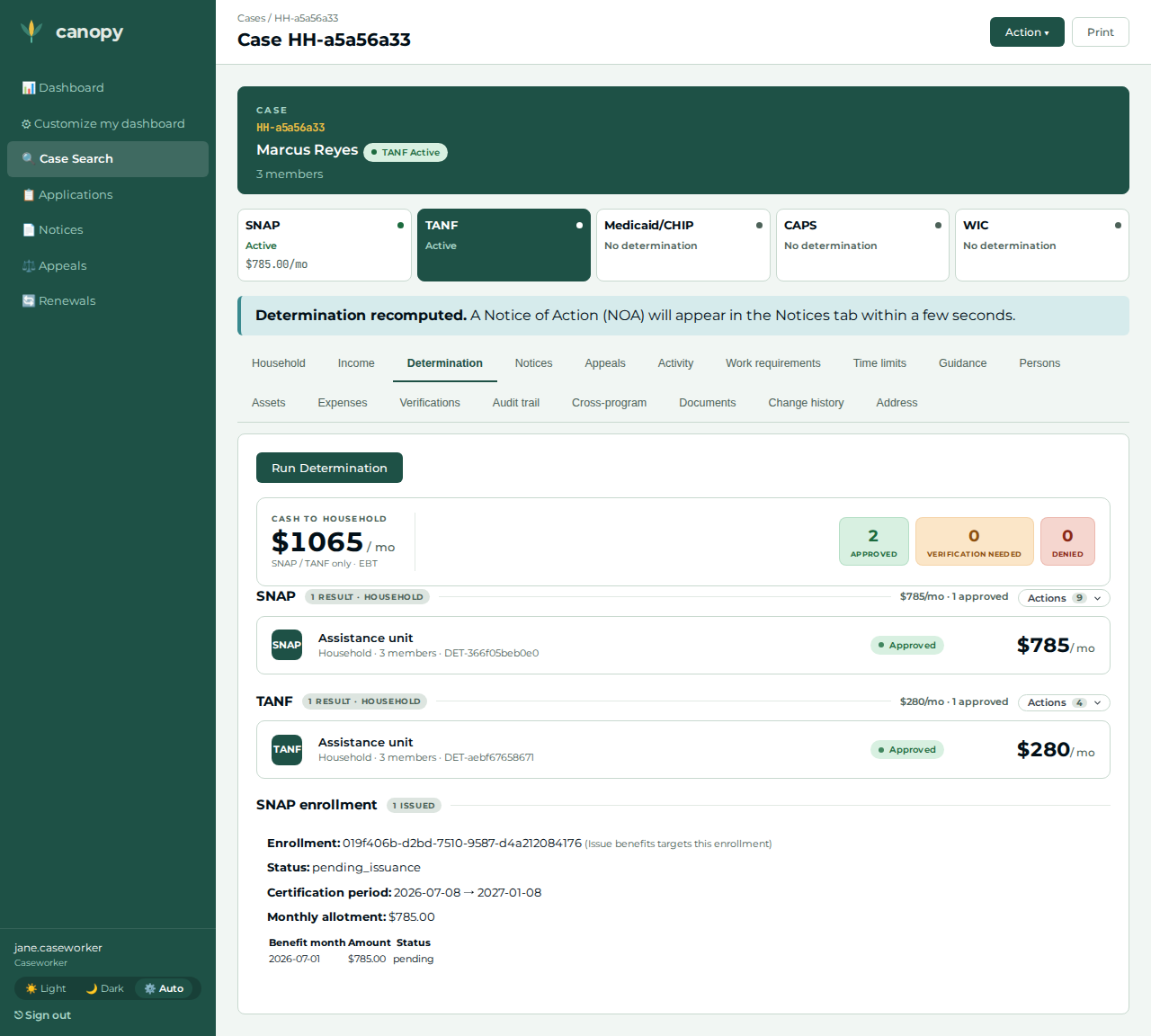
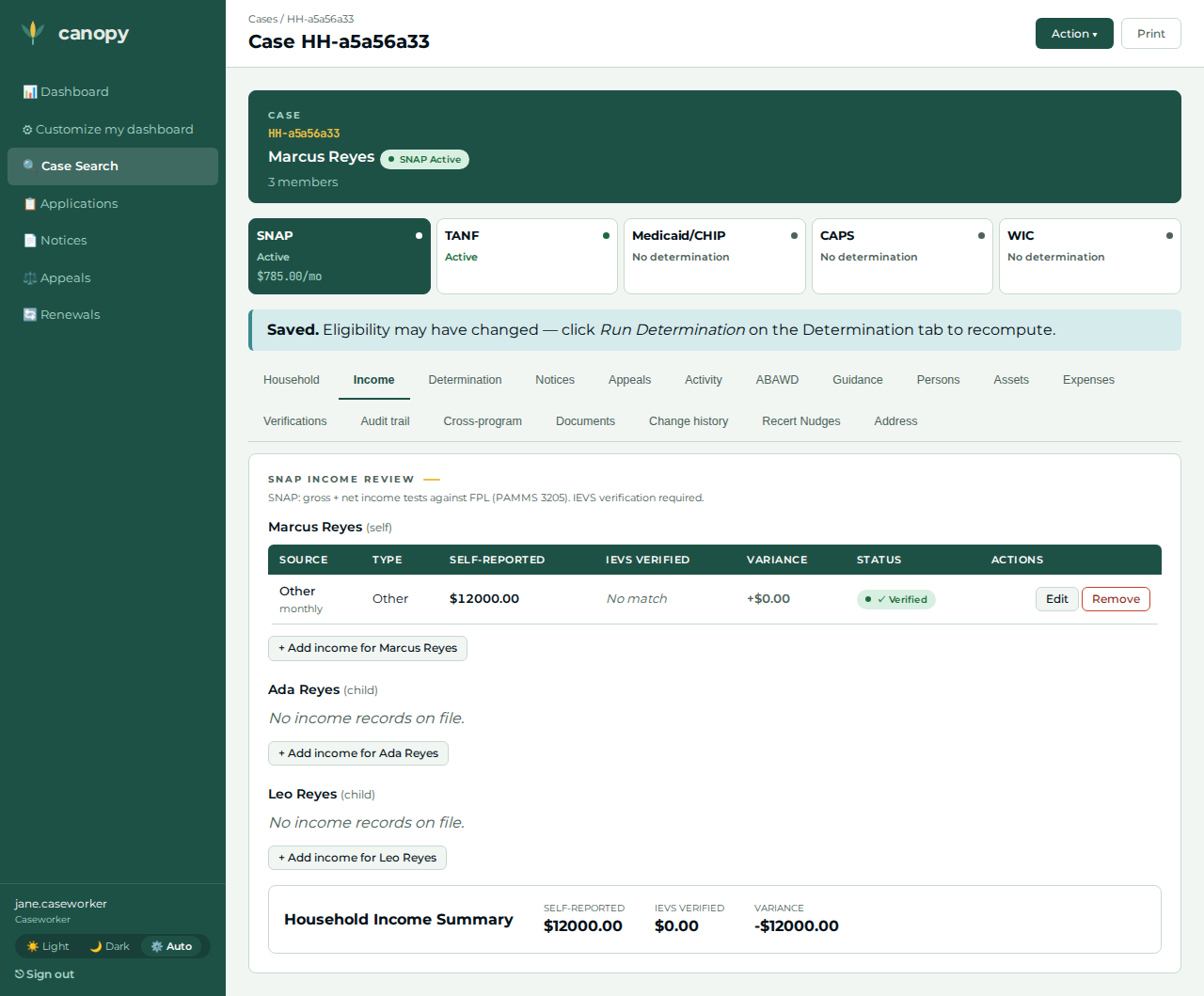
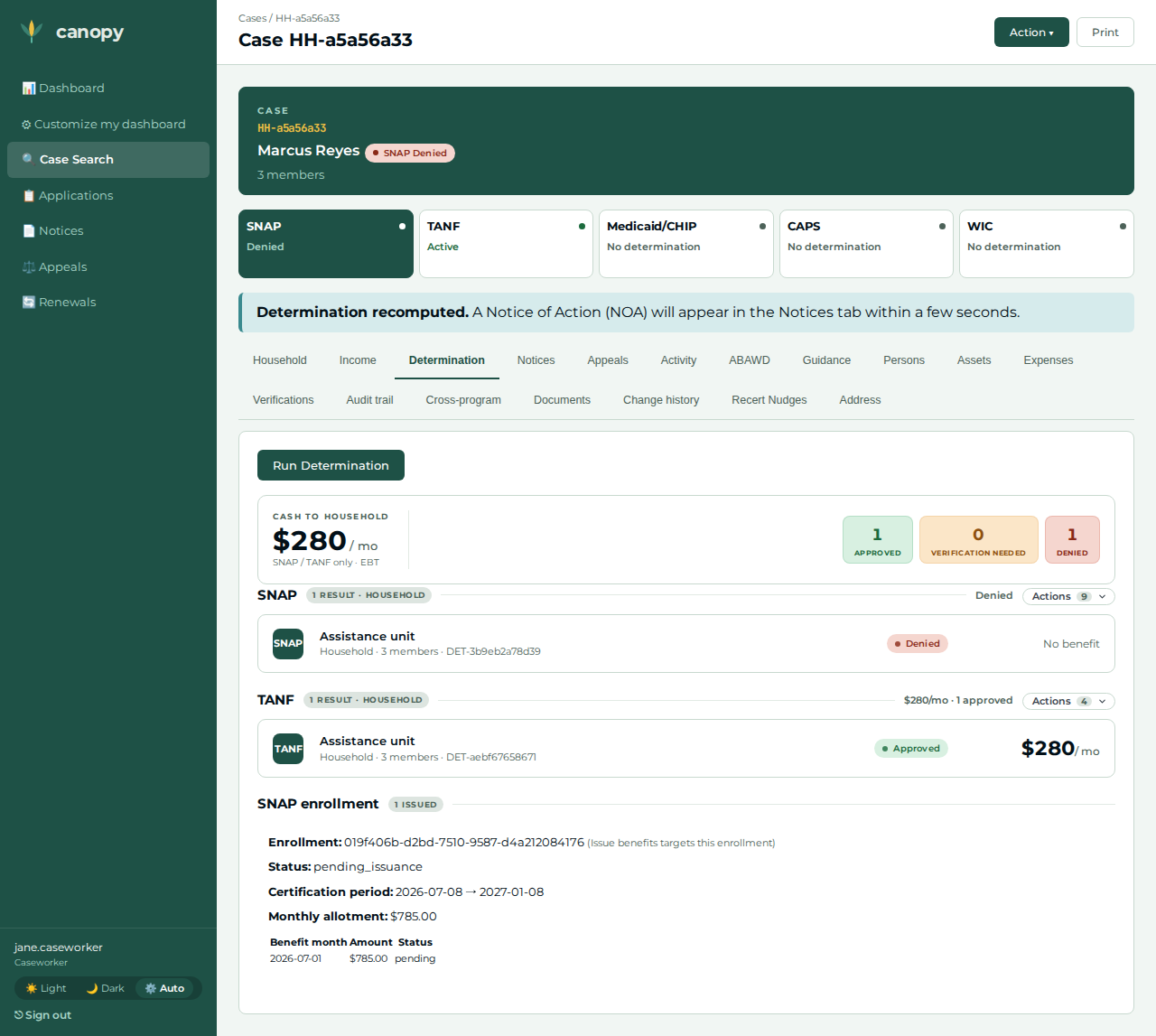
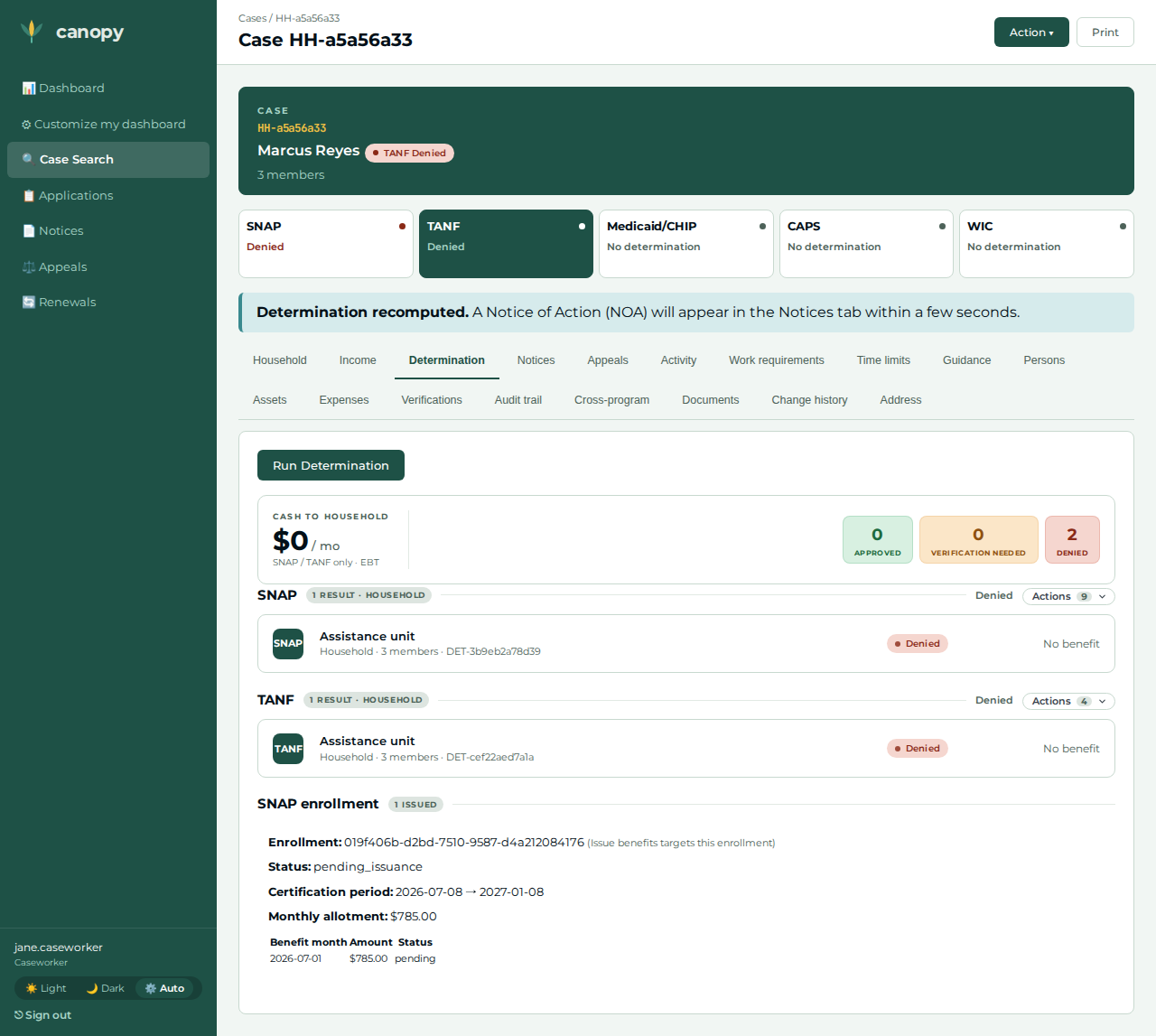
A public-assistance household is on both SNAP and TANF over one roster. The applicant files SNAP at the real portal front door; the caseworker puts the household on its second program (TANF) and records a life-event change — a large new income — once in the shared household fact store. Both programs' determinations act on that one change and flip from approved to denied. That is 7 CFR 273.12(f) / PAMMS SNAP 3720: a change reported through another program counts as a SNAP report. The applicant then signs back in to see the outcome letter.
Reproducibility tier: Worker-driven. The applicant files the first program (SNAP) at the
real /apply front door, and every case-defining action after that — establishing the SNAP
baseline, filing the second program (TANF), recording the income change, re-determining both
programs — is a caseworker click in the worker portal. A facilitator can reproduce the whole
journey live, no test harness required.
This walkthrough is paired with the automated spec
tests/e2e/specs/journey-snap-cross-program-report.spec.ts, covering scenario
snap.change.pa-household-cross-program-report. The screenshots below are captured by that
spec (worker beats step-NN, applicant beats app-NN). See Verifying the journey to run it.
Personas & credentials
| Persona | Credentials / identity | Role in the journey |
|---|---|---|
Applicant |
Files at the portal |
Files the SNAP application (head + two children); after the worker acts, signs back in to view the outcome letter. |
Caseworker |
Worker portal, Keycloak login |
Runs the SNAP baseline determination, files the second program (TANF), records the income change, re-determines both programs. |
Bring-up & reset
cargo xtask dev start --profile full     # SNAP + TANF + applications + eligibility + portal
cargo xtask seed --seed 42               # deterministic fixtures
Reset between runs with cargo xtask migrate rollback (restores the pre-run DB snapshot),
then a fresh browser / incognito window so no applicant session lingers. The
Demo Runbook owns the full bring-up + reset detail.
Concrete precondition
The journey depends on these exact applicant inputs (the #979/#991 bar — the applicant side is as reproducible as the worker side):
-
Household composition — a head of household with no earned income plus two dependent children:
Member Date of birth Relationship Marcus Reyes (head)
1988-03-20
head of household
Ada Reyes (child)
2016-04-10
child
Leo Reyes (child)
2019-08-22
child
The portal captures identity + composition + income categories only — never amounts — so this case is filed with zero income facts.
-
The income the worker records — a single Other income of $12,000 / month on the head, effective today. This is a construction extreme that exceeds every jurisdiction’s gross-income ceiling, so the cross-program flip holds under any parameters (the amount is an input, never an asserted oracle).
No address or expense fact is required — the SNAP/TANF engines treat the portal-filed zero-income household as a determinate (eligible) outcome before the change.
The walkthrough, step by step
| # | Screen | Action | Expected outcome | Screenshot |
|---|---|---|---|---|
01 |
Applicant |
At |
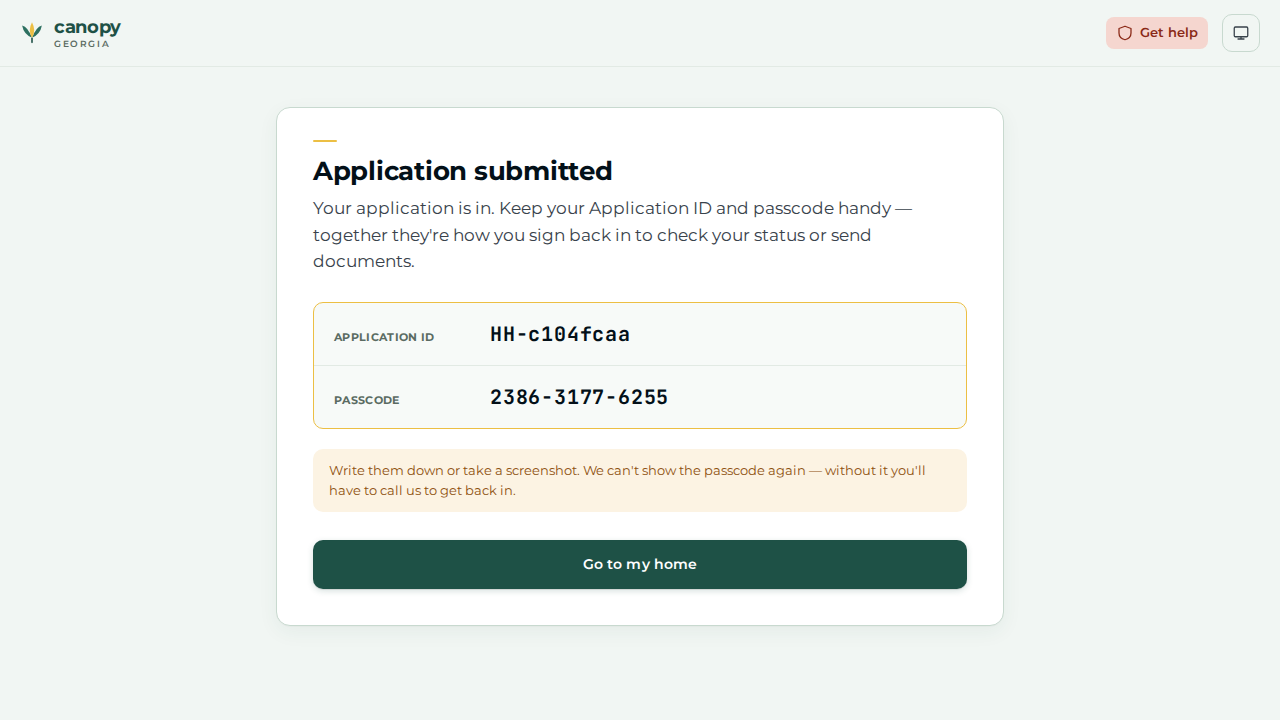
The "Application submitted" screen reveals the one-time Application ID ( |
|
02 |
Caseworker |
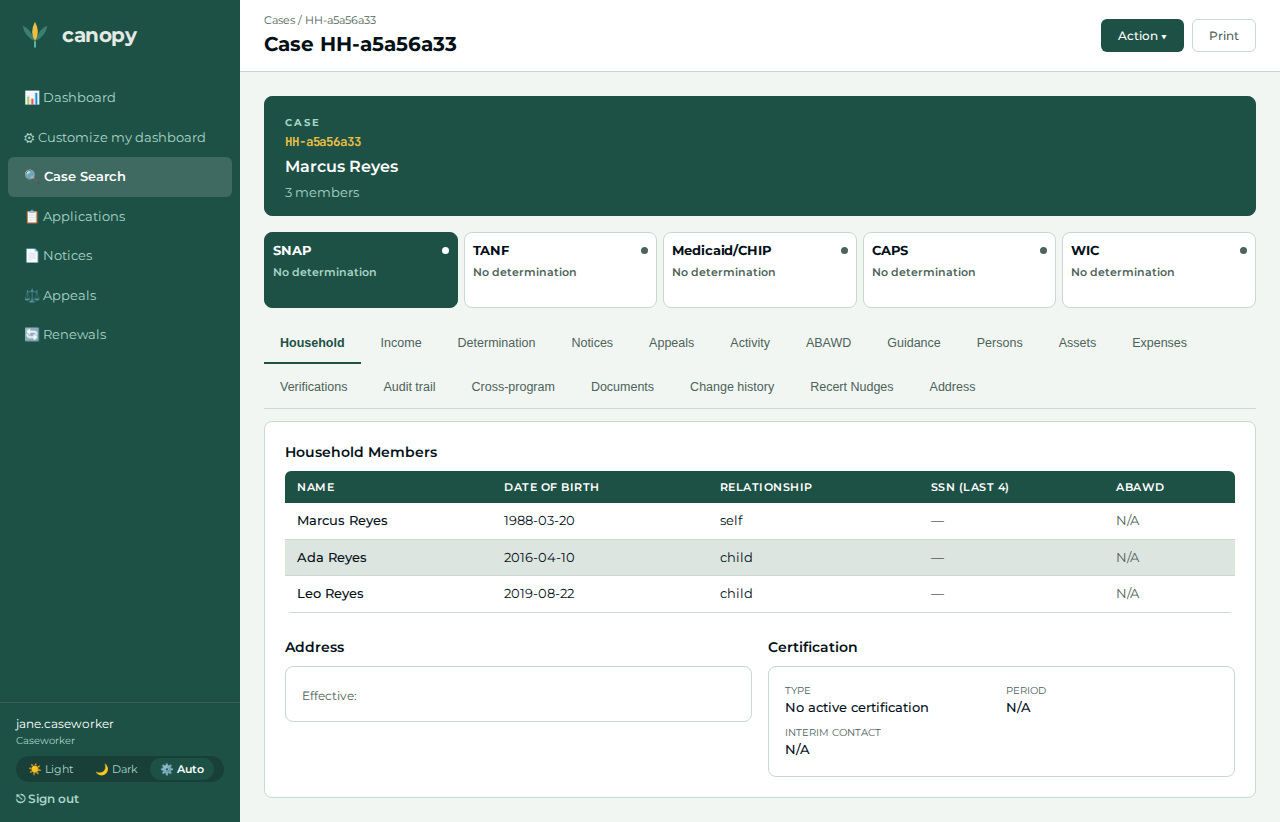
Open the just-filed SNAP case ( |
The SNAP program shows the new pending application. |
|
03 |
Caseworker |
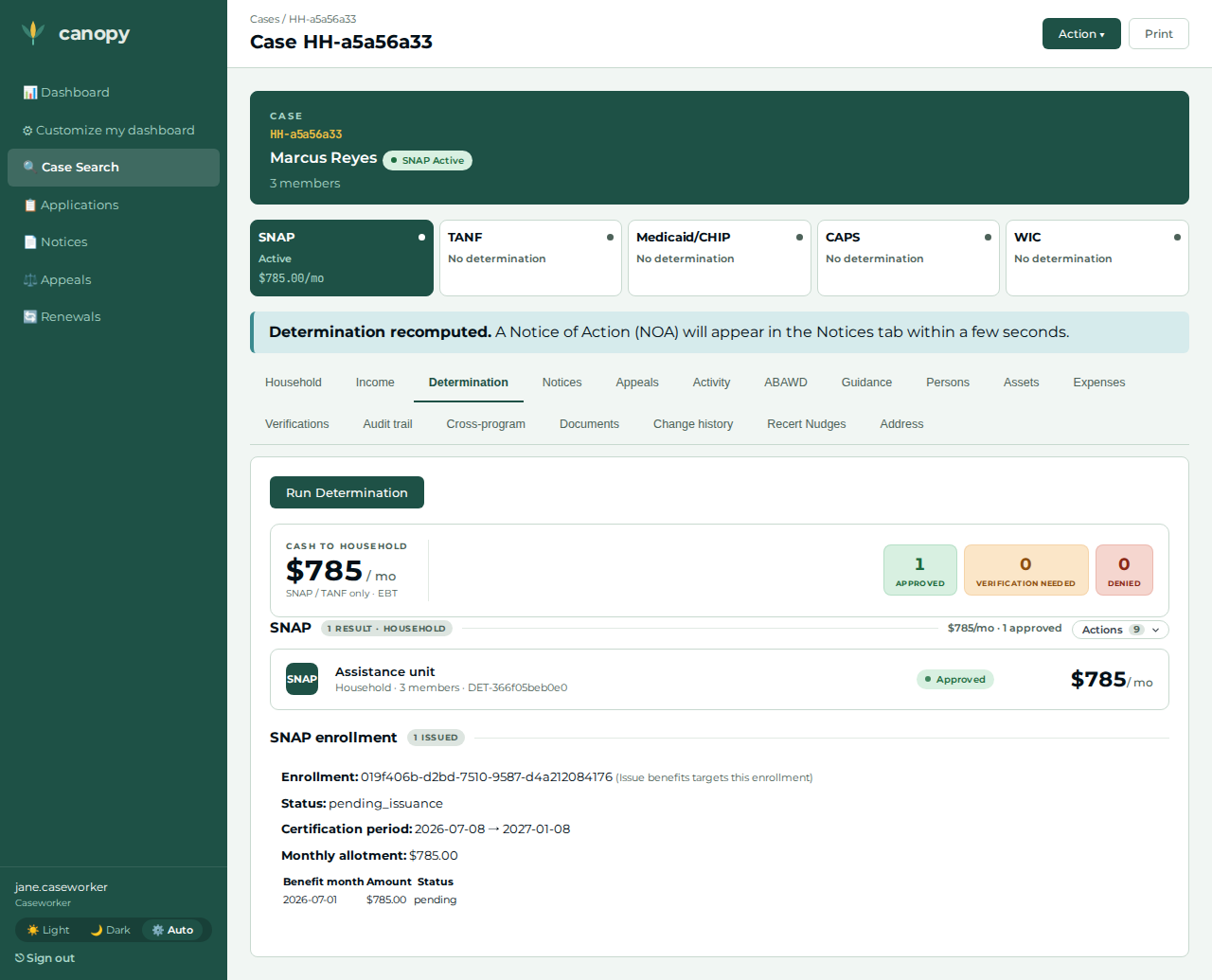
Open Action ▾ → Run Determination on the SNAP view. |
SNAP is Approved over the portal-filed facts (no income → eligible) — the pre-change baseline. |
|
04 |
Caseworker |
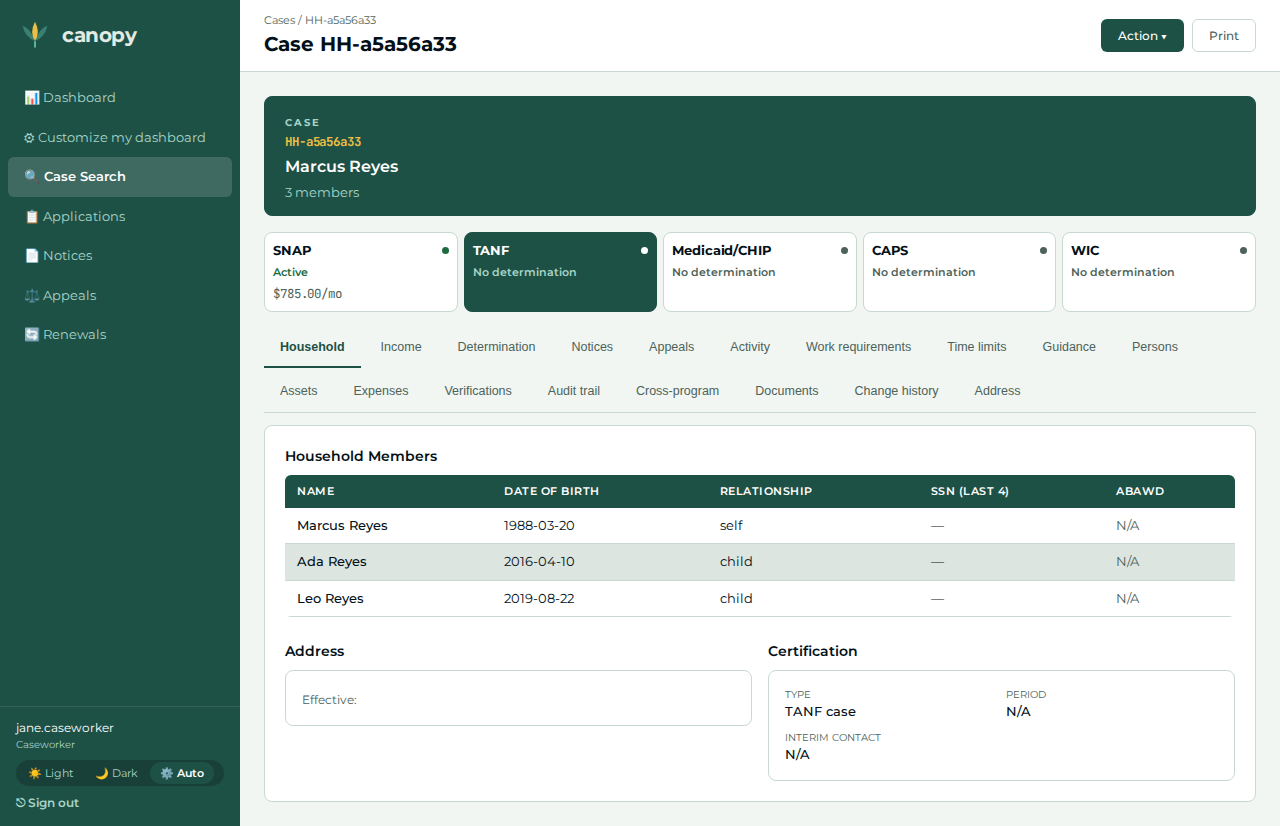
Open the top-bar Action ▾ → under File application, tick TANF and click File application. |
Redirects to the case’s TANF view — the household is now on a second program (a new TANF application). |
|
05 |
Caseworker |
Open Action ▾ → Run Determination on the TANF view. |
TANF is Approved over the same shared household facts. |
|
06 |
Caseworker |
Open the Income tab → the head of household’s + Add income → record a large new income (type Other, $12,000/month, effective today), submit. |
The change is recorded once in the shared fact store; the page returns to the Income section. |
|
07 |
Caseworker |
Re-run the SNAP determination (Action ▾ → Run Determination on the SNAP view). |
SNAP flips to Denied — it acted on the change reported through the shared context. |
|
08 |
Caseworker |
Re-run the TANF determination. |
TANF also flips to Denied — the one reported change drove both programs' determinations. |
|
09 |
Applicant |
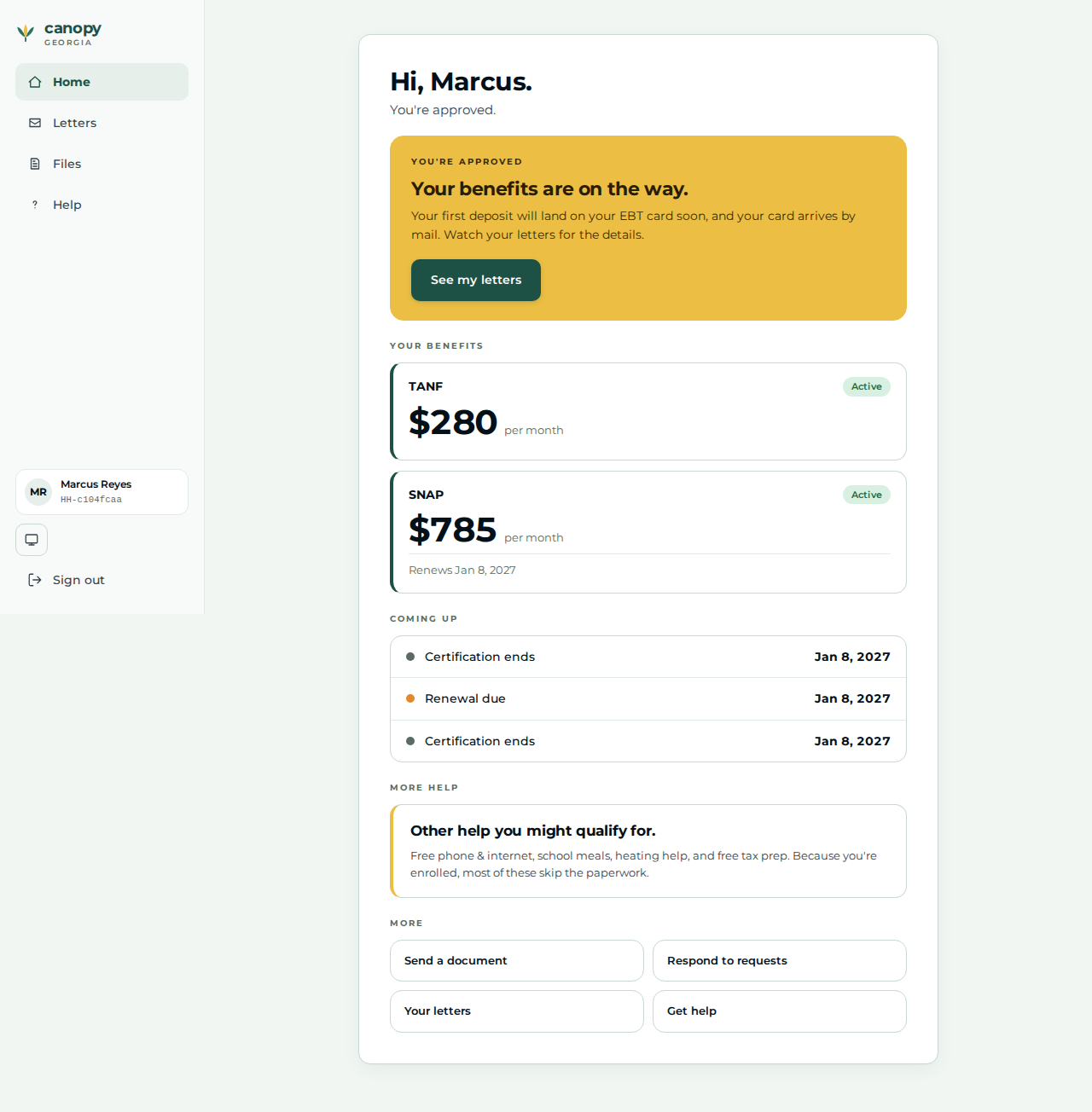
Sign back in at |
The applicant home greeting renders for the returning household. |
|
10 |
Applicant |
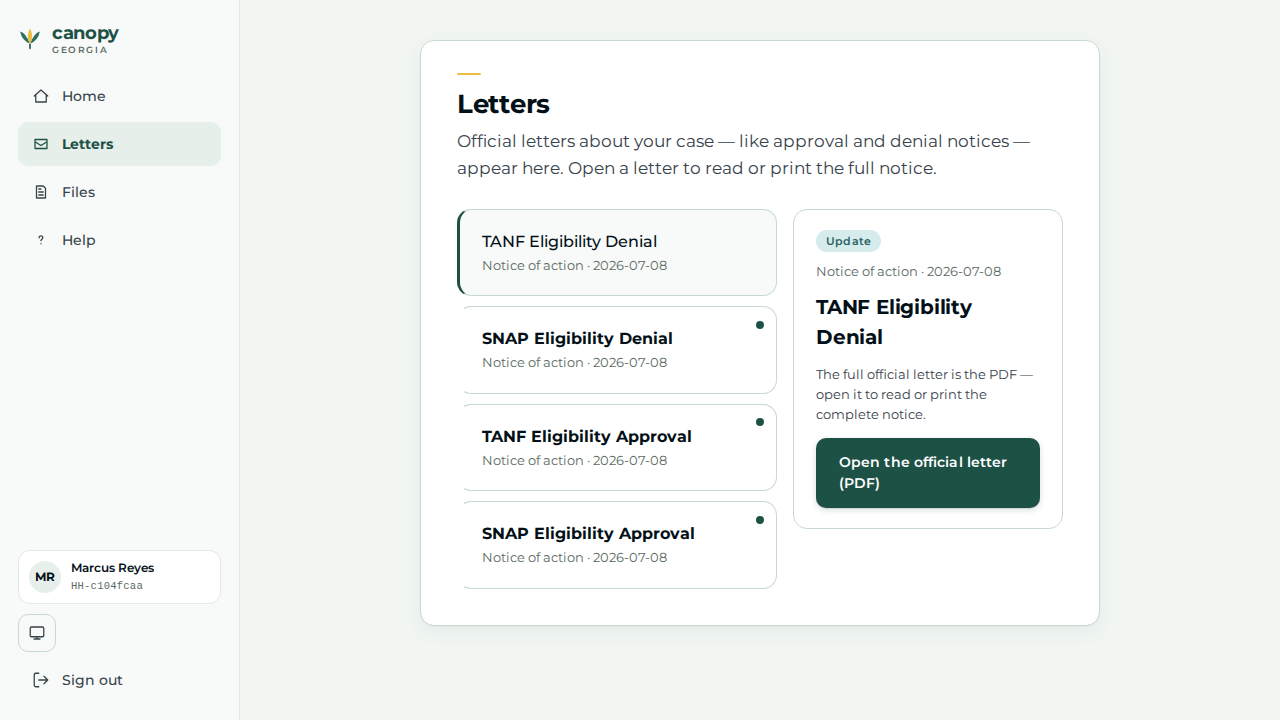
Open Letters and click the most recent letter. |
A Notice of Action from the worker’s determination is on the applicant’s Letters page — the portal→worker→applicant loop closes. |
|
Expected outcome / oracle
The relational oracle: one income change, recorded once in the shared canopy-persons fact store, flips both the SNAP and the TANF determination from approved to denied. The dollar amount and eligibility thresholds are never asserted — only the flip (approved → denied, per program) and the fact that a determination NOA reaches the applicant’s Letters page. The novelty proven is that ONE shared-fact change drives TWO independent program services' signed determinations.
Honest scope
-
One shared fact, read by both programs. The eligibility orchestrator fetches the household’s facts once and hands the identical snapshot to every program service, so recording the change once drives both determinations. The program-parameterized change-report endpoint (canopy-renewals) is an administrative tracking artifact that neither mutates facts nor drives re-determination — it is not the mechanism here.
-
TANF deprivation is orchestrator-inferred (marked provisional), so the TANF leg exercises the demo-grade deprivation path; the income test it gates is real.
-
Filing the second program (TANF) is worker-only. The applicant portal always mints a fresh household, so a household’s second program cannot be filed at the applicant front door; the caseworker files it through the File application action. That action resolves the head of household as
submitted_byserver-side and files with the worker portal’s service identity (ADR-019) — it does not record the worker as an actor. -
The File-application form lists every deployed program in your scope — including ones the household already has. Filing a duplicate is possible pre-1.0 (a per-program dedup guard is deferred); here only TANF (new to this household) is ticked.
-
The amount is never asserted. The reported income is a construction extreme that exceeds every jurisdiction’s gross-income ceiling, so the cross-program flip holds under any jurisdiction’s parameters.
Verifying the journey
cargo xtask e2e --devstack-profile full -- \
  specs/journey-snap-cross-program-report.spec.ts --project journey
The spec files the SNAP application through the real portal wizard (applicant app-NN
shots), then — on the worker portal — runs the SNAP baseline determination, files the TANF
application through Action ▾ → File application, records the income change through the
Income tab, and re-determines both programs (worker step-NN shots), before the applicant
signs back in to view the outcome letter. Screenshots land under
test-results/e2e/walkthroughs/… for commit into
docs/modules/ROOT/assets/images/walkthroughs/…. The correctness oracle reads the worker
case detail: one income change, recorded once, flips both the SNAP and the TANF
determination from approved to denied.
See also
-
Journey Walkthroughs (the pairing overview)