Journey: SNAP substantial lottery/gambling winnings → adverse action
On this page
An applicant files a SNAP application through the real applicant portal. A caseworker records the household’s wages, approves and certifies the case, then records substantial lottery/gambling winnings the household reports mid-certification; a re-determination finds the household over the gross-income limit, so eligibility ends and a written adverse-action Notice of Action is generated. The applicant then signs back in and reads that letter — the file → act → notice → see-it arc that 7 CFR 273.11(r) and 273.12 bound, shown across BOTH portals side by side.
Reproducibility tier: Fully manual. Every step below can be reproduced live, by
hand, through the two served portals — the applicant files the case at /apply
in one browser and the caseworker works it at /cases in another. No harness,
given-library, or pre-seeded case is required; the case is the one the presenter
files during the demo.
This walkthrough is paired with the automated spec
tests/e2e/specs/journey-snap-lifecycle.spec.ts, covering scenario
snap.change.substantial-lottery-winnings. The screenshots below are captured by
that spec (worker shots step-NN-…, applicant shots app-NN-…). See Verifying the journey
to run it.
Personas & credentials
| Persona | Credentials / identity | Role in the journey |
|---|---|---|
Applicant |
Files at the portal |
Files the single-person SNAP application; later signs back in to read the adverse-action letter. |
Caseworker |
Worker portal (:8080), Keycloak login |
Records the wages, approves + certifies the case, records the winnings, re-determines, and confirms the notice. |
Bring-up & reset
cargo xtask dev start --profile full   # full devstack (SNAP + portal + notices)
cargo xtask seed --seed 42             # deterministic fixtures
Reset between runs so the demo starts from a clean slate:
cargo xtask migrate rollback # restore the pre-run DB snapshotUse a fresh browser (or an incognito window) per persona so the applicant’s
/lookup session and the caseworker’s Keycloak session do not collide. The
Demo Runbook owns the full side-by-side driving
detail.
Concrete precondition
The exact inputs this journey depends on (the #979/#991 bar — the applicant side is as reproducible as the worker side):
-
Applicant files (portal
/apply): a single-person household — head of household only, no other members.-
Head: first name
Dana, last nameWhitfield, date of birth1990-04-12. -
Safety question: Standard protections are fine; income step: No one works right now (the portal authors no income — the worker records it).
-
-
Caseworker records (worker portal):
-
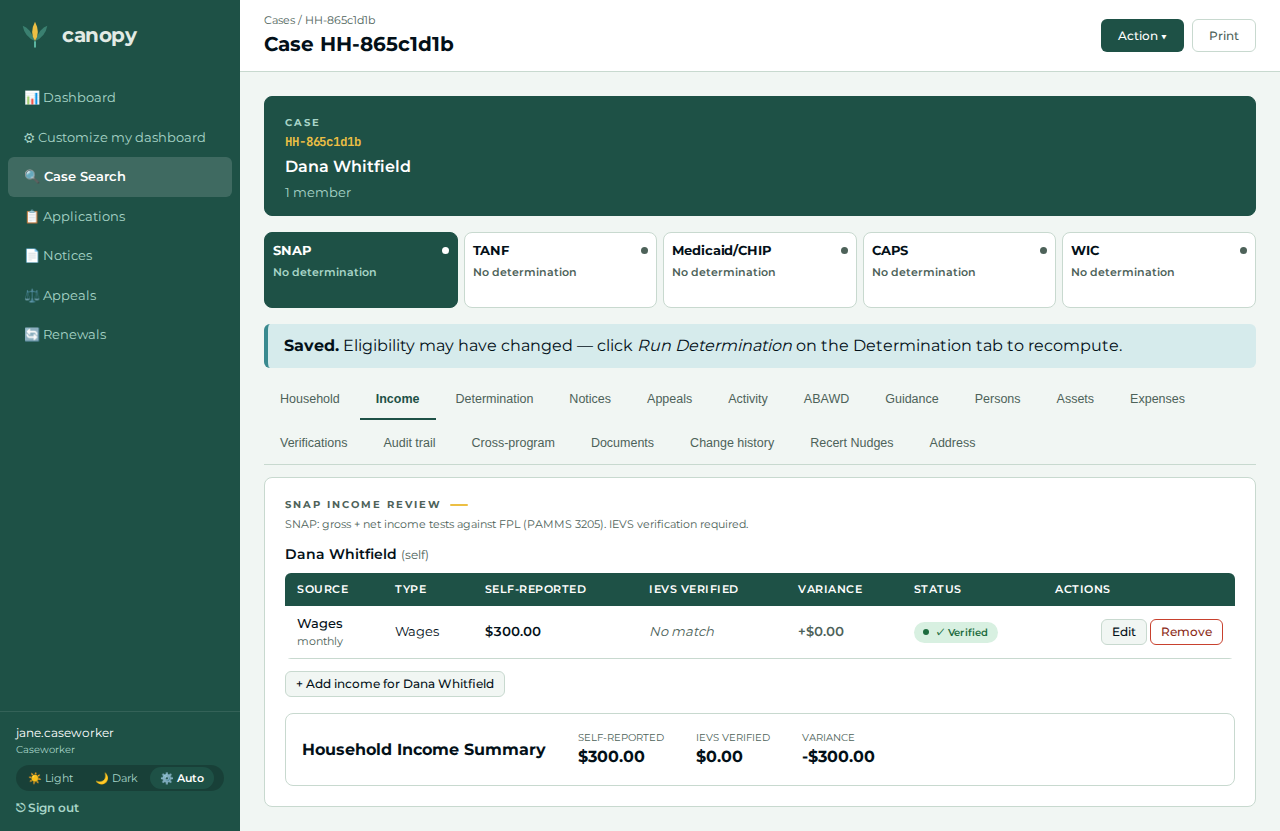
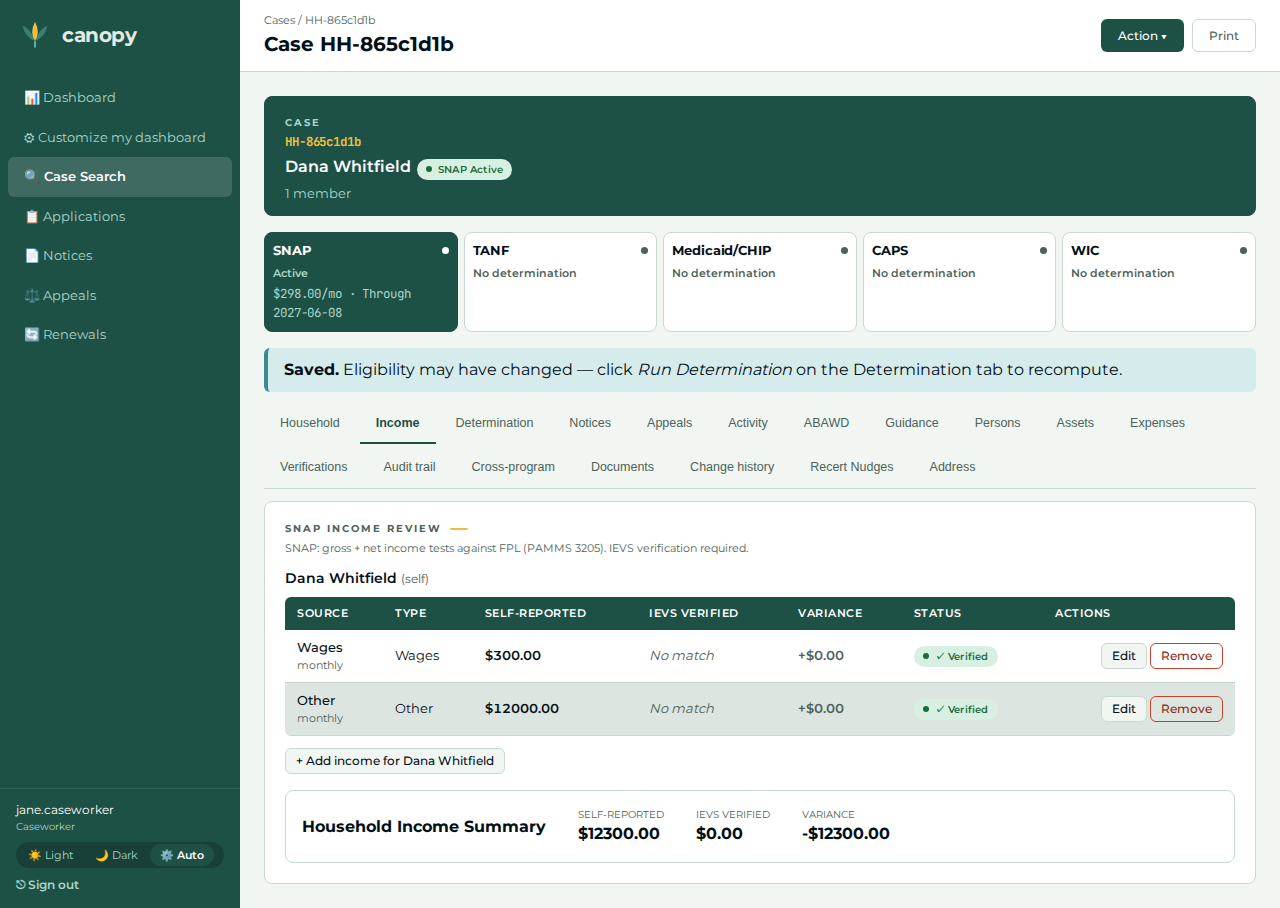
Baseline wages: income type wages, $300 / month, effective today — a construction extreme robustly below any gross-income limit (an input, not an asserted value).
-
Windfall: income type other, $12,000, effective today — a construction extreme robustly above any gross-income limit.
-
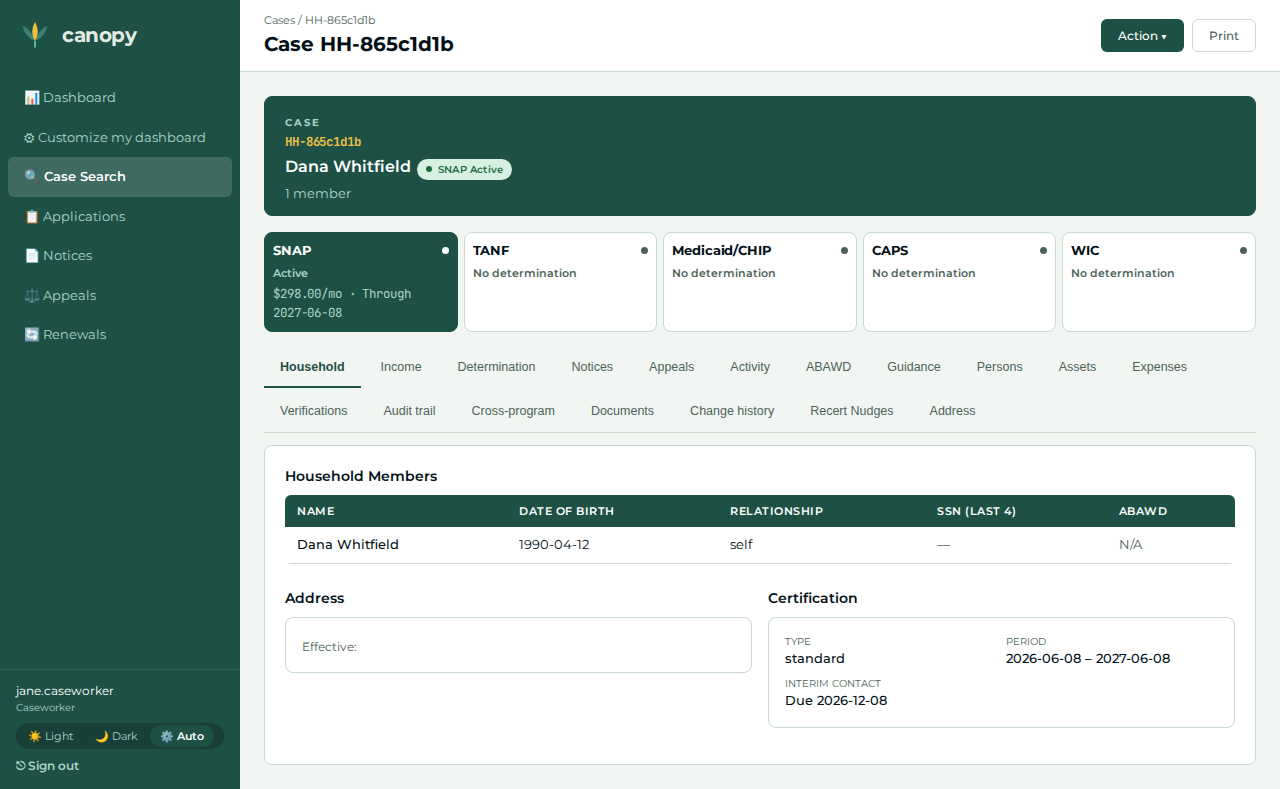
Certification period: start one month ago, end eleven months ahead (a ~12-month window spanning today).
-
The walkthrough, step by step
| # | Screen | Action | Expected | Screenshot |
|---|---|---|---|---|
01 |
Applicant |
At |
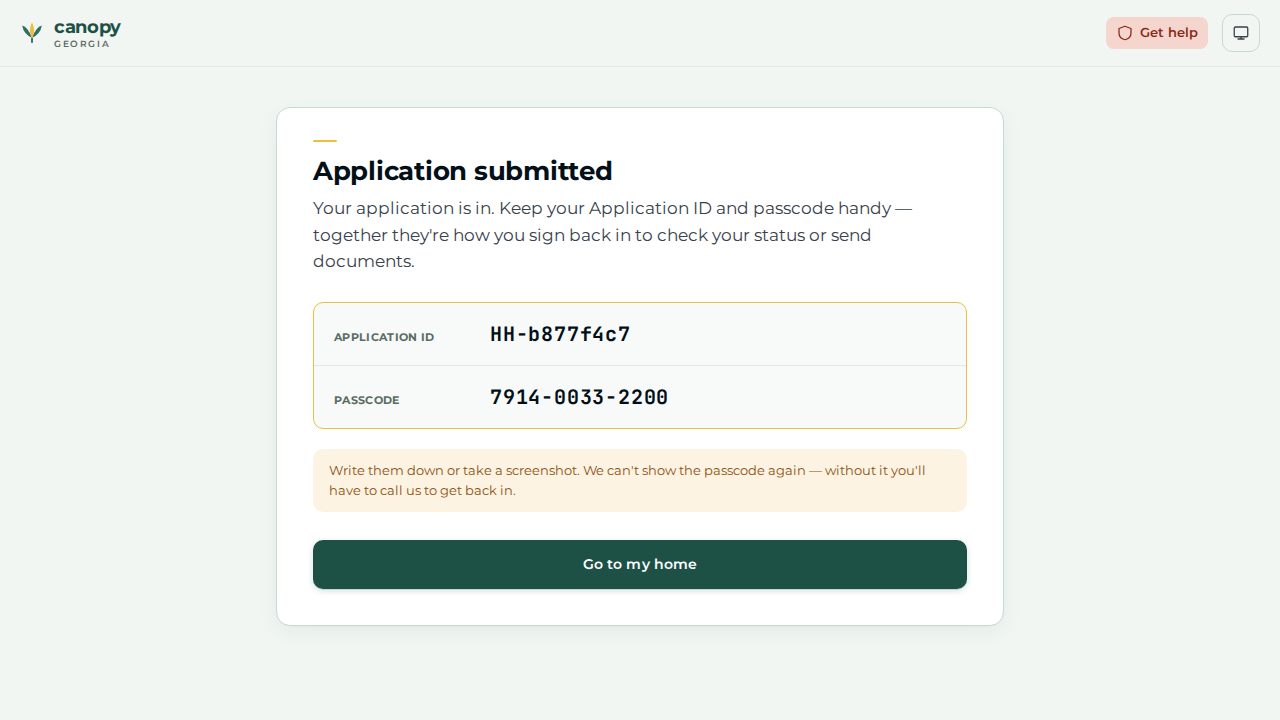
The Application submitted screen reveals the reference number ( |
|
02 |
Caseworker |
Open the case ( |
The wages row is recorded against the head — the portal-filed case had zero income, so this is the real income the determination will read. |
|
03 |
Caseworker |
Determination tab → Action ▾ → Run Determination. |
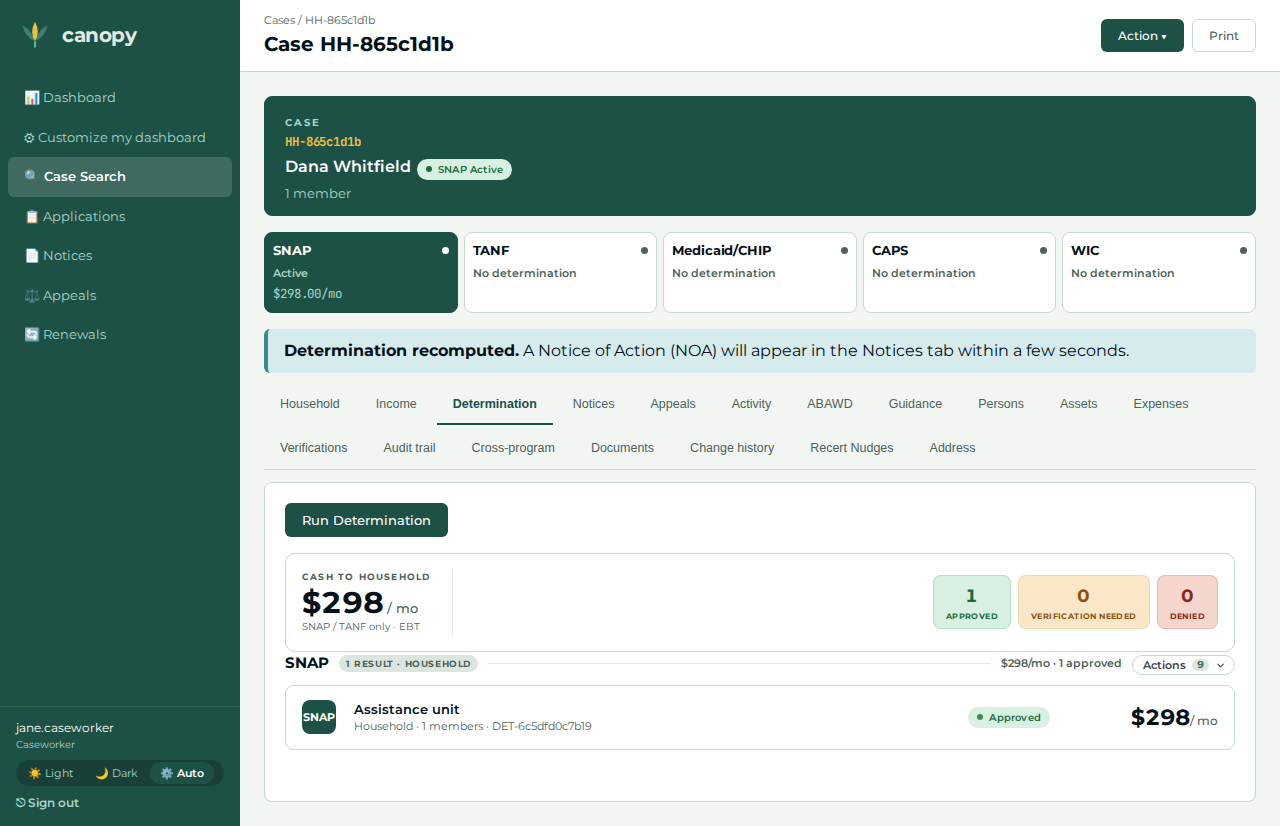
The SNAP determination returns Approved with a monthly benefit — the eligible baseline. |
|
04 |
Caseworker |
On the Determination tab, open the program group’s Actions panel → Create certification; enter start one month ago and end eleven months ahead → Create certification. |
Redirects to the Household tab, whose Certification card now shows the period (start – end) and type. |
|
05 |
Caseworker |
Income tab → + Add income for the head → income type other, amount 12000, frequency monthly, effective date today → Add. |
The winnings row is recorded against the head (the same income-claim the determination reads). |
|
06 |
Caseworker |
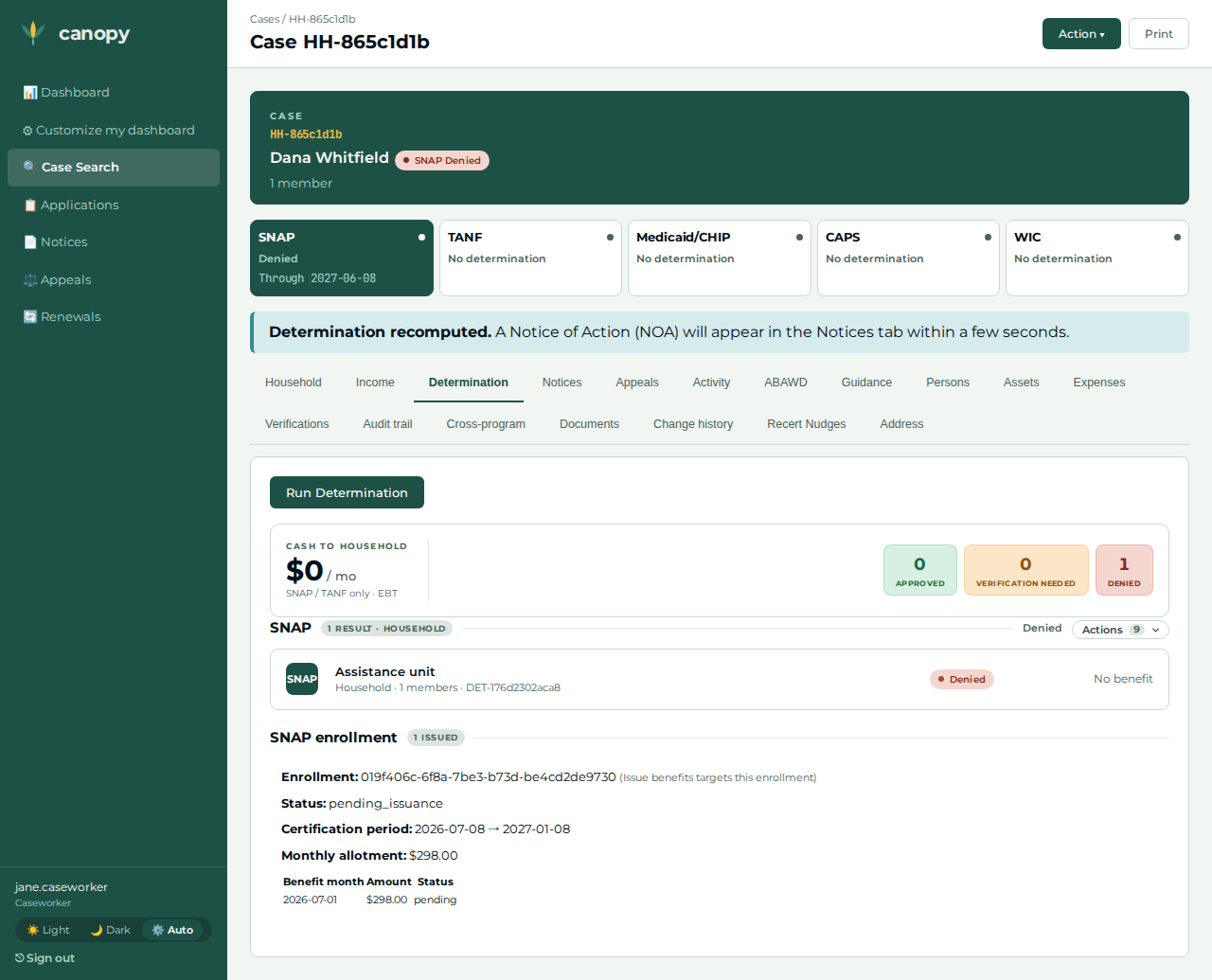
Return to the Determination tab → Action ▾ → Run Determination again. |
The same case now returns Denied — the reported winnings pushed gross income over the limit. |
|
07 |
Caseworker |
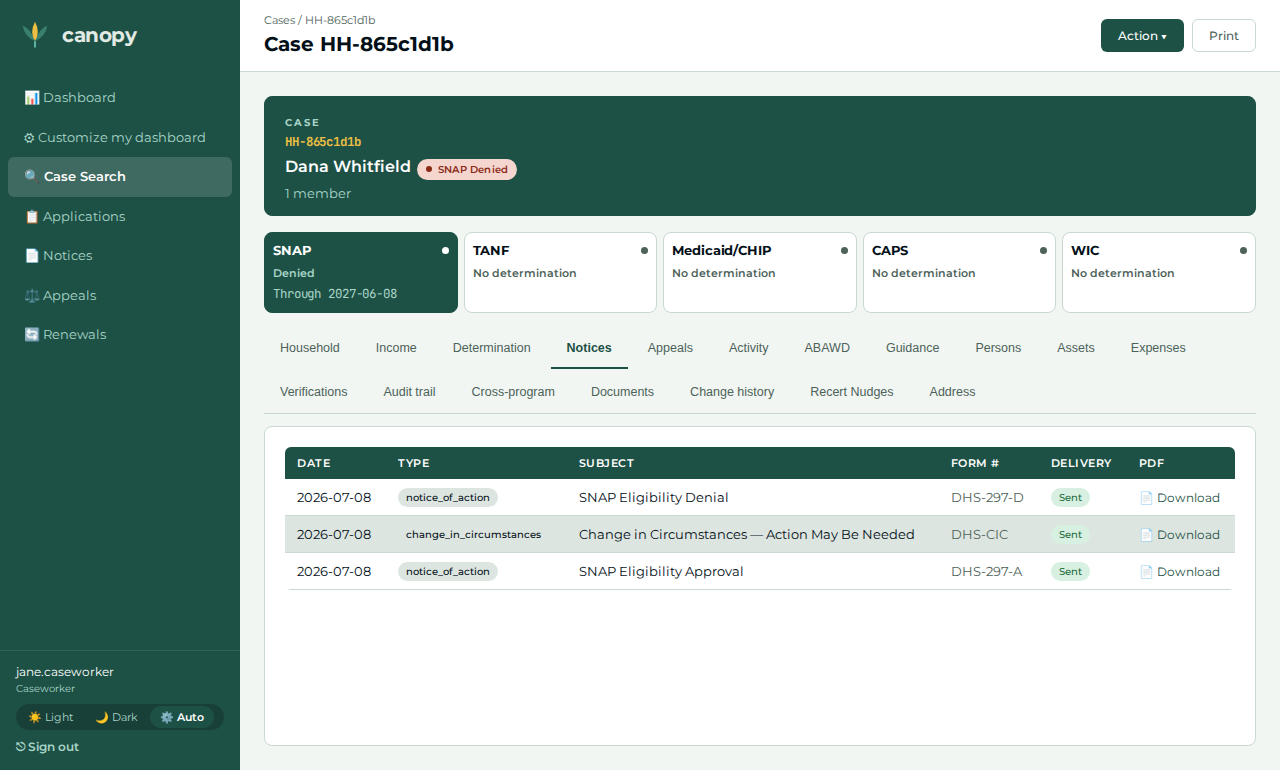
Open the Notices tab. |
A |
|
08 |
Applicant |
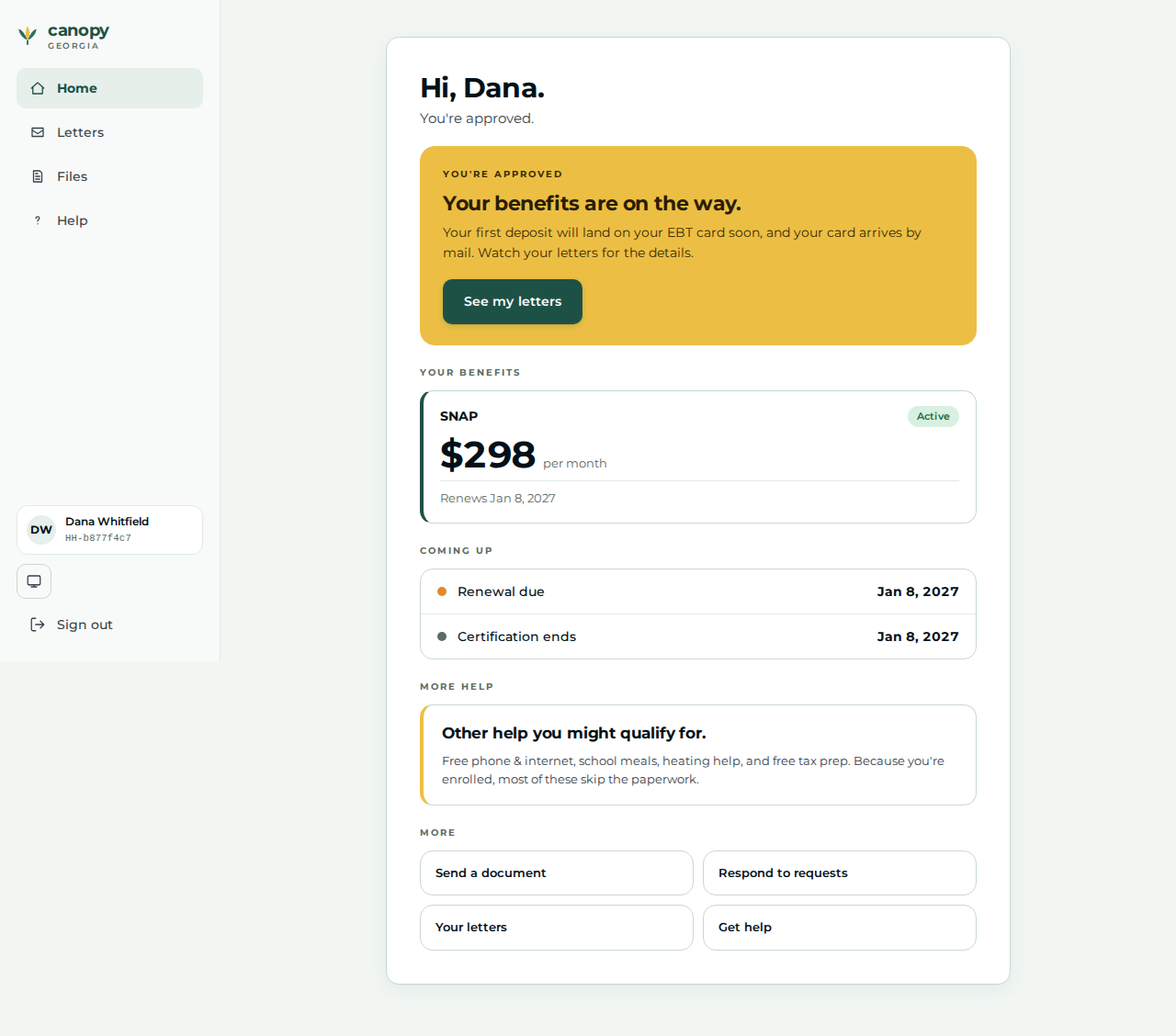
Back in the applicant browser, go to |
Lands on the applicant Home with the returning-applicant greeting. |
|
09 |
Applicant |
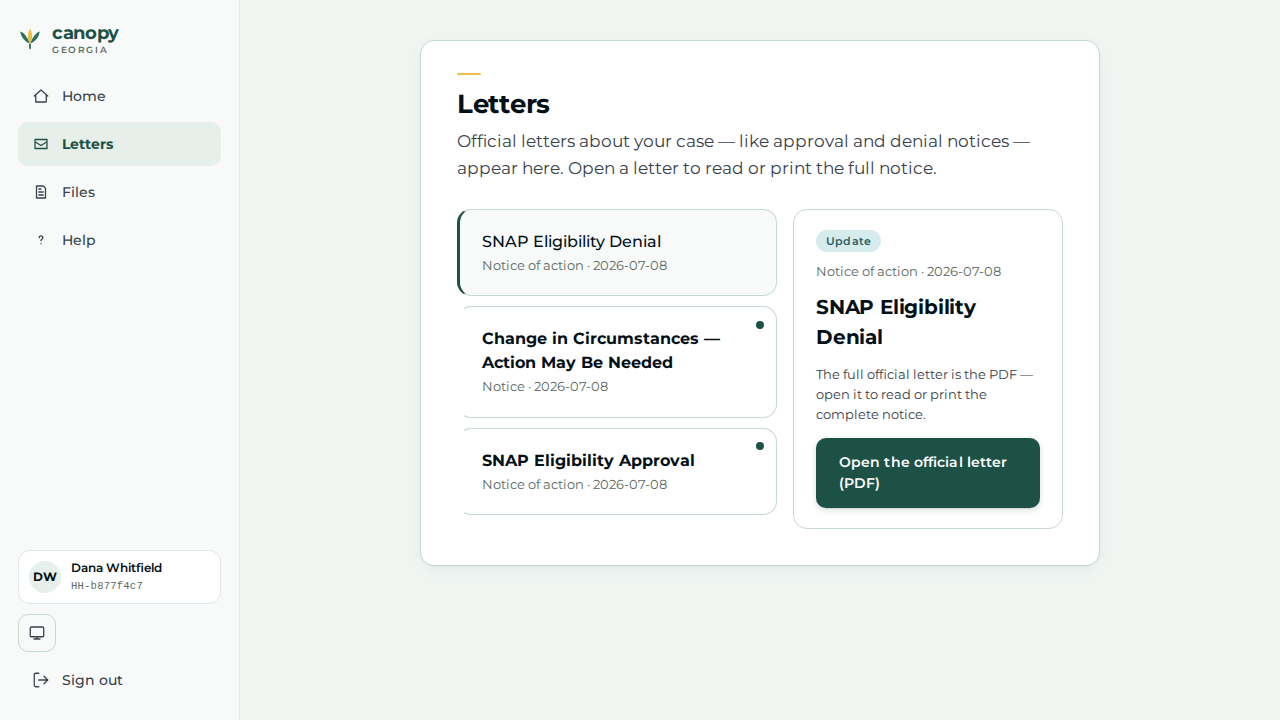
Open the Letters page and click the most recent letter. |
The adverse-action Notice of Action the caseworker generated is now visible to the applicant — the outcome reflected back across the portal boundary. |
|
Expected outcome / oracle
The oracle is relational / derived, never a dollar figure or a policy threshold:
-
The same case flips Approved → Denied purely because a life-event (the reported windfall) crossed the gross-income boundary — Denied is a permitted post-change state, Approved is not.
-
A notice row appears on the case Notices tab (the NOA pipeline fired end to end: determination → event → notice).
-
That letter reflects back to the applicant — a non-empty subject appears on the applicant Letters page after they sign back in.
The wage and windfall amounts are construction inputs (robustly inside / outside any gross-income limit), so the journey holds under any jurisdiction’s values.
Honest scope
-
The worker Income tab’s Add income form has no "irregular / lottery" income type, so the windfall is recorded as income type other. For the SNAP gross-income test that is equivalent —
otheris counted as unearned income (services/canopy-snap/src/determine.rs), so it drives the same eligibility flip. -
The applicant portal captures identity + household composition only, never amounts, and drops the apply address at finalize. This journey has no address-dependent logic, so no address is authored; all income is recorded by the caseworker.
-
The oracle asserts the derived Approved → Denied flip and the NOA’s appearance, not any dollar figure or timely-notice window.
Verifying the journey
cargo xtask e2e --devstack-profile full -- \
  specs/journey-snap-lifecycle.spec.ts --project journey
The spec files a single-person SNAP application through the real /apply wizard
on an unauthenticated portal context, then drives the worker steps above through
the portal BFF — recording the wages, approving, opening the certification via the
Create certification action, recording the windfall, re-determining to Denied,
and confirming the adverse-action notice — before signing the applicant back in to
read the letter. It captures the step screenshots into
test-results/e2e/walkthroughs/… for commit into
docs/modules/ROOT/assets/images/walkthroughs/….