Journey: SNAP address change → shelter-cost cascade → benefit recompute
On this page
An applicant files a SNAP application through the real applicant portal front door; a caseworker records the household’s wages, rent, and address, then the household moves to pricier housing. The higher shelter cost raises the excess-shelter deduction, which lowers net income, which raises the monthly allotment. The caseworker records the increased rent and re-determines; the benefit rises, a Notice of Action is generated — the shelter-cost cascade that 7 CFR 273.12(a)(1), (c) bounds when a household reports a move — and the applicant signs back in to see the outcome.
Reproducibility tier: Fully manual. Every beat is a real screen action a
presenter performs by hand — the applicant fills the /apply wizard, the
caseworker drives the worker portal, the applicant signs back in. Nothing is
seeded or scripted into the case; the live demo is exactly the click sequence in
the The walkthrough, step by step table below.
This walkthrough is paired with the automated spec
tests/e2e/specs/journey-snap-shelter-cascade.spec.ts, covering scenario
snap.change.address-change-shelter-cascade. The screenshots below are captured by
that spec. See Verifying the journey to run it.
Personas & credentials
| Persona | Credentials / identity | Role in the journey |
|---|---|---|
Applicant |
Files at the portal |
Files the SNAP application (identity + household composition + an income-category screening — no amounts), then signs back in to view the outcome (home + the Notice of Action on Letters). |
Caseworker |
Worker portal ( |
Records the wages, opens the certification, runs the baseline determination, records the baseline address + the move, records the higher rent, re-determines, and confirms the notice. |
Bring-up & reset
cargo xtask dev start --profile full     # full devstack (SNAP + worker + applicant portal + notices)
cargo xtask seed --seed 42               # deterministic fixtures
Reset between runs:
cargo xtask migrate rollback             # drop the run's mutations
# then re-seed, and use a fresh browser / incognito window for the applicant portal
# (the /lookup session is a Redis-backed cookie).
The Demo Runbook owns the full bring-up / reset detail; this is the minimum for this journey.
Concrete precondition
The applicant inputs the journey depends on — the composition + DOBs the applicant
files at /apply, and the wages / rent / address the caseworker records afterward.
The dollar and rent figures are construction inputs, calibrated to keep the case
approved and off the benefit floor/ceiling with room for the shelter deduction to
move the allotment — they are never asserted values.
Applicant files at /apply (composition + categories only — no amounts):
-
Head of household: Dana Rivers, DOB 1985-06-15.
-
Child: Sam Rivers, DOB 2015-03-10, relationship child.
-
Child: Alex Rivers, DOB 2018-07-22, relationship child.
-
Household size 3 (above the size≤2 minimum-benefit bump, so the shelter delta is not masked).
-
Income step: No one works right now (the portal captures the category, not the amount).
Caseworker records (the authoritative facts — the portal filed none):
-
Head wages: $1,500 / month, effective today.
-
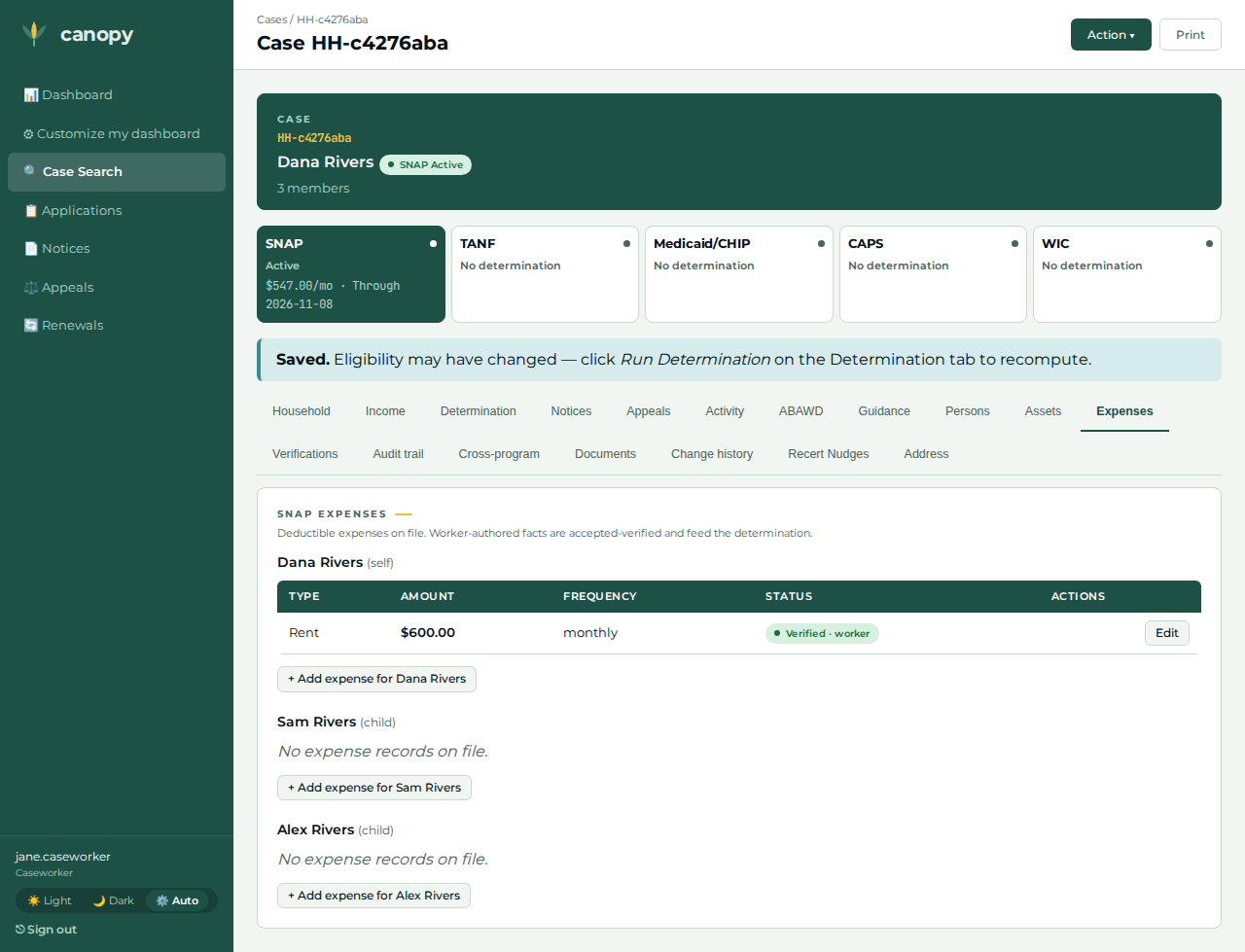
Baseline rent: $600 / month, effective today (above the 50%-of-income shelter threshold, below the excess-shelter cap).
-
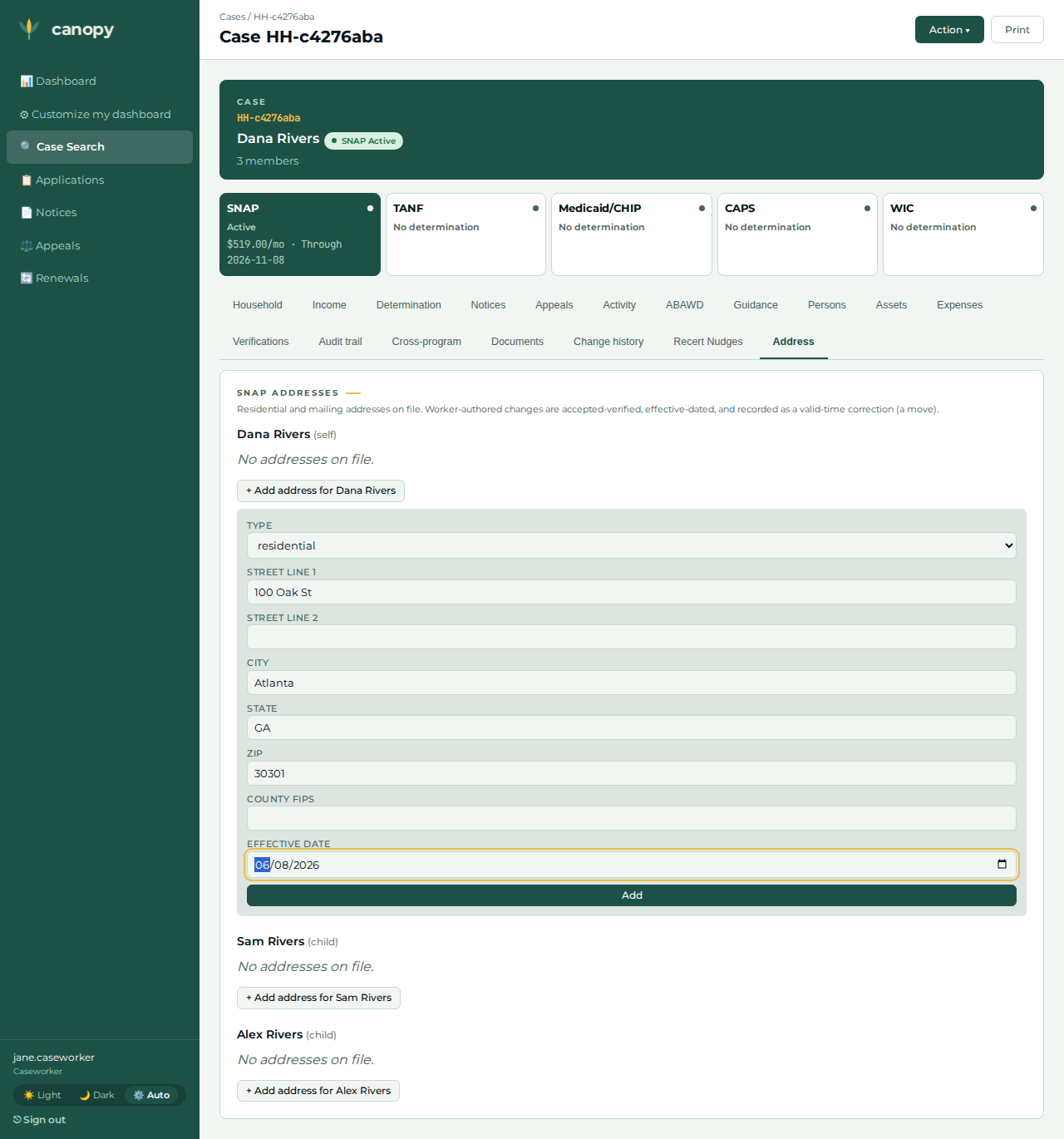
Baseline residential address: 100 Oak St, Atlanta, GA 30301, effective one month ago.
-
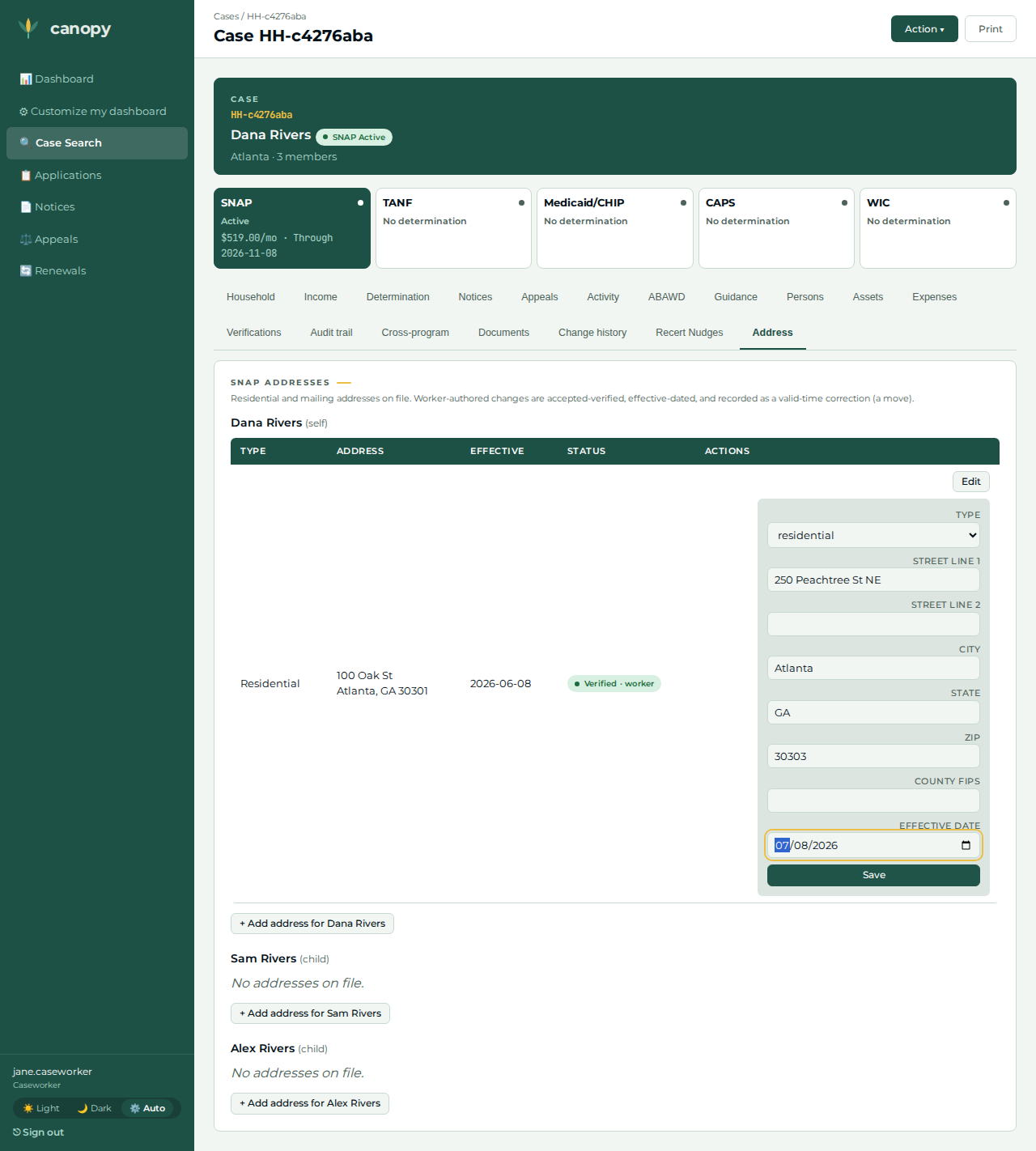
The move (address edit): 250 Peachtree St NE, Atlanta, GA 30303, effective today.
-
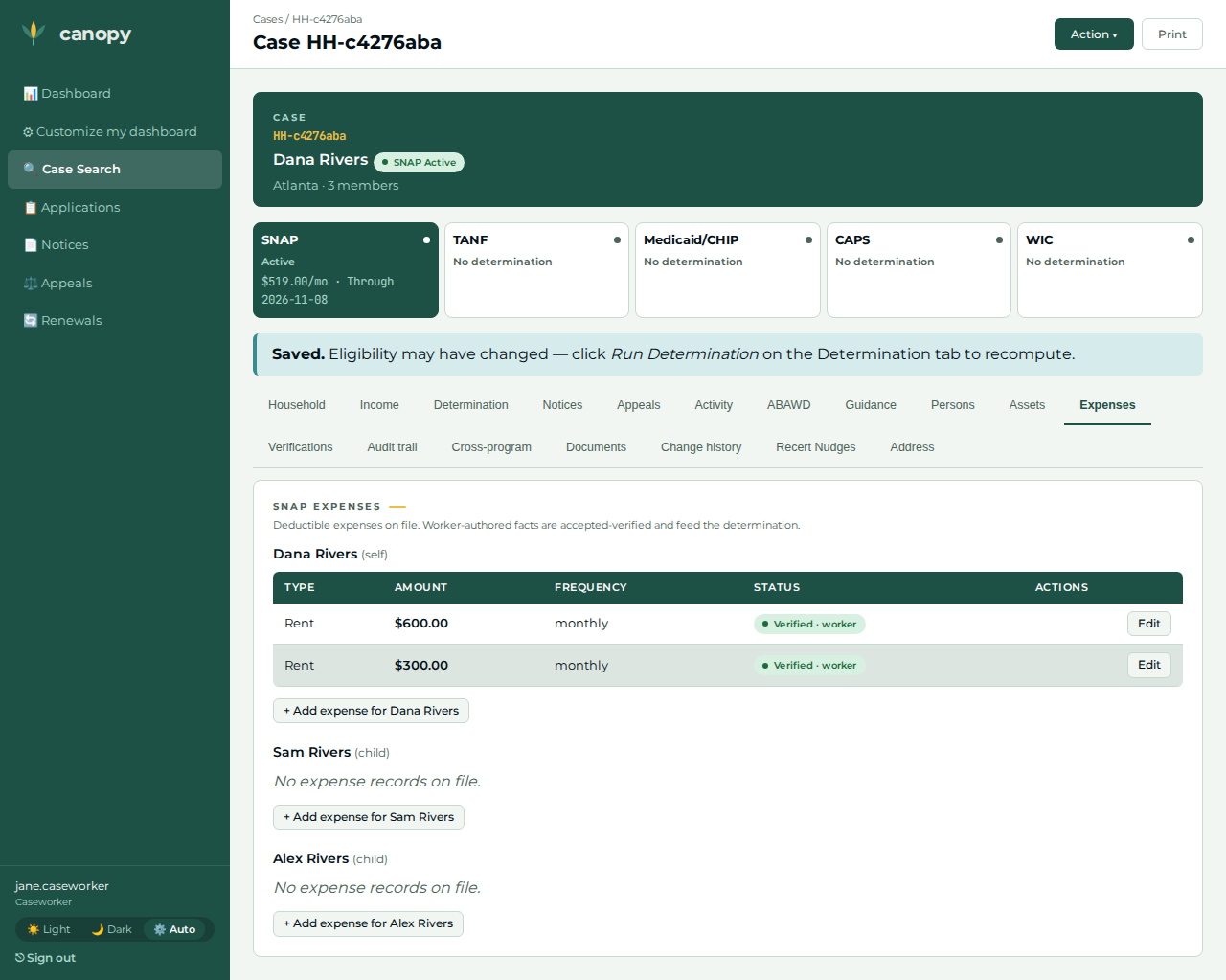
Rent increase: +$300 / month, effective today — added on top of the $600, so total shelter rises $600 → $900.
-
Certification window: start two months ago, end four months ahead.
The walkthrough, step by step
| # | Screen | Action | Expected outcome | Screenshot |
|---|---|---|---|---|
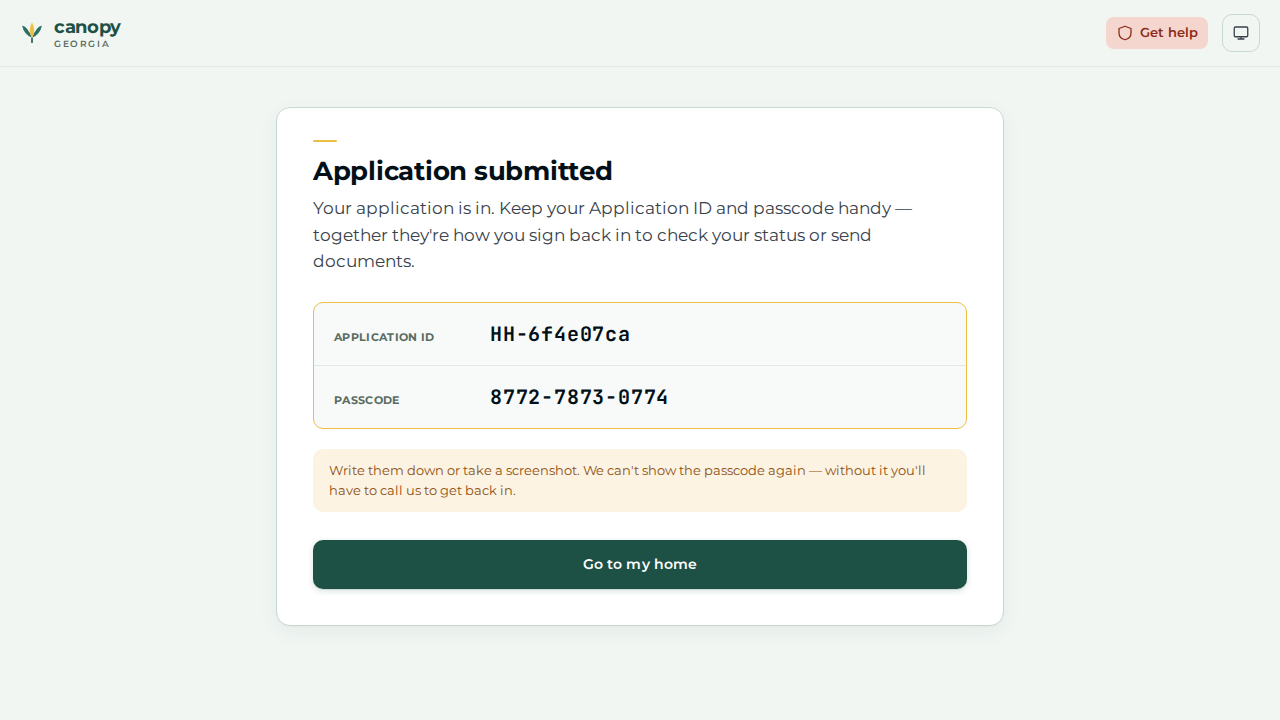
01 |
Applicant |
At |
The Application submitted reveal screen shows the reference number |
|
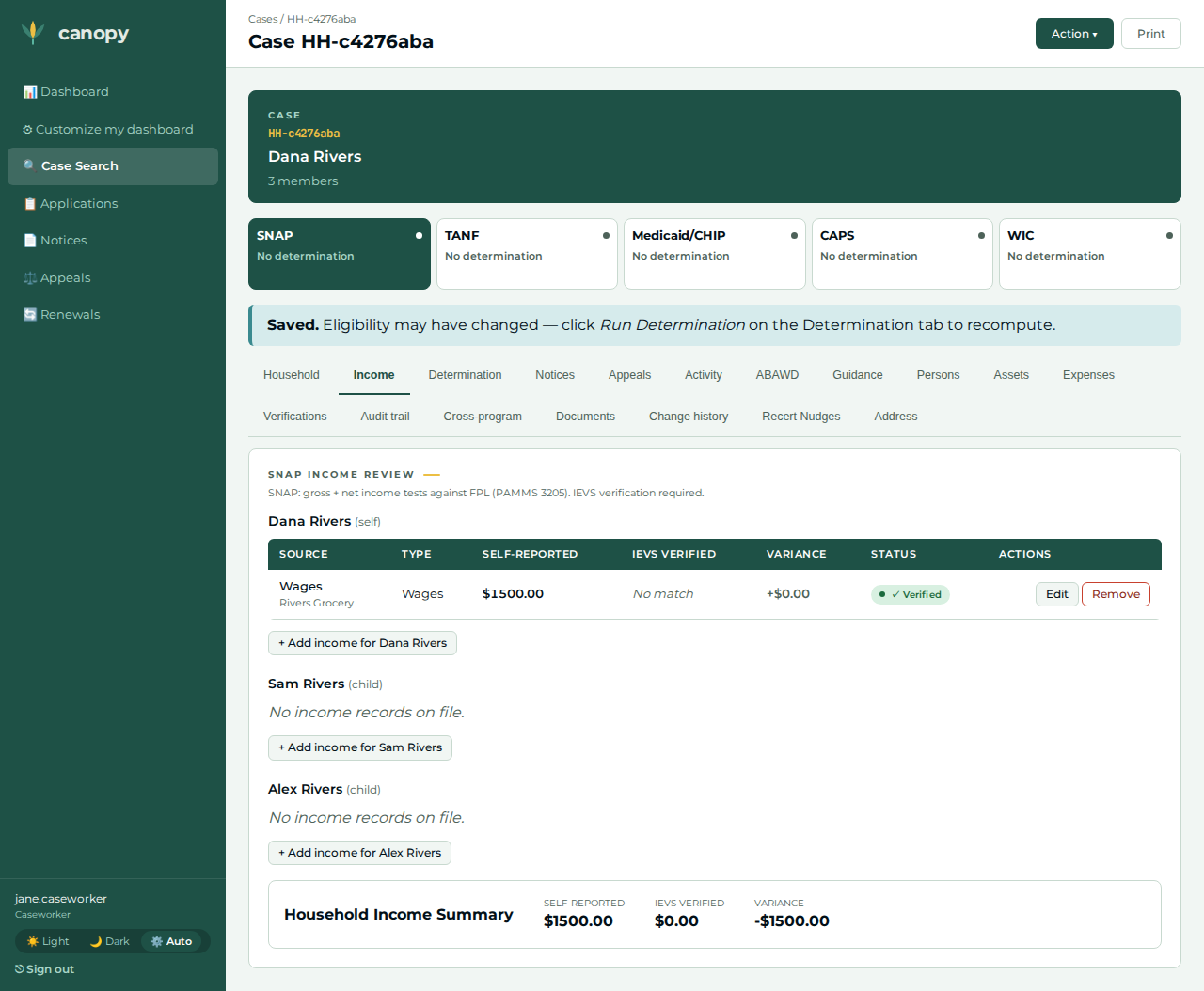
02 |
Caseworker |
Open the case ( |
The wage row is recorded — the household’s authoritative earned income (the portal captured none). |
|
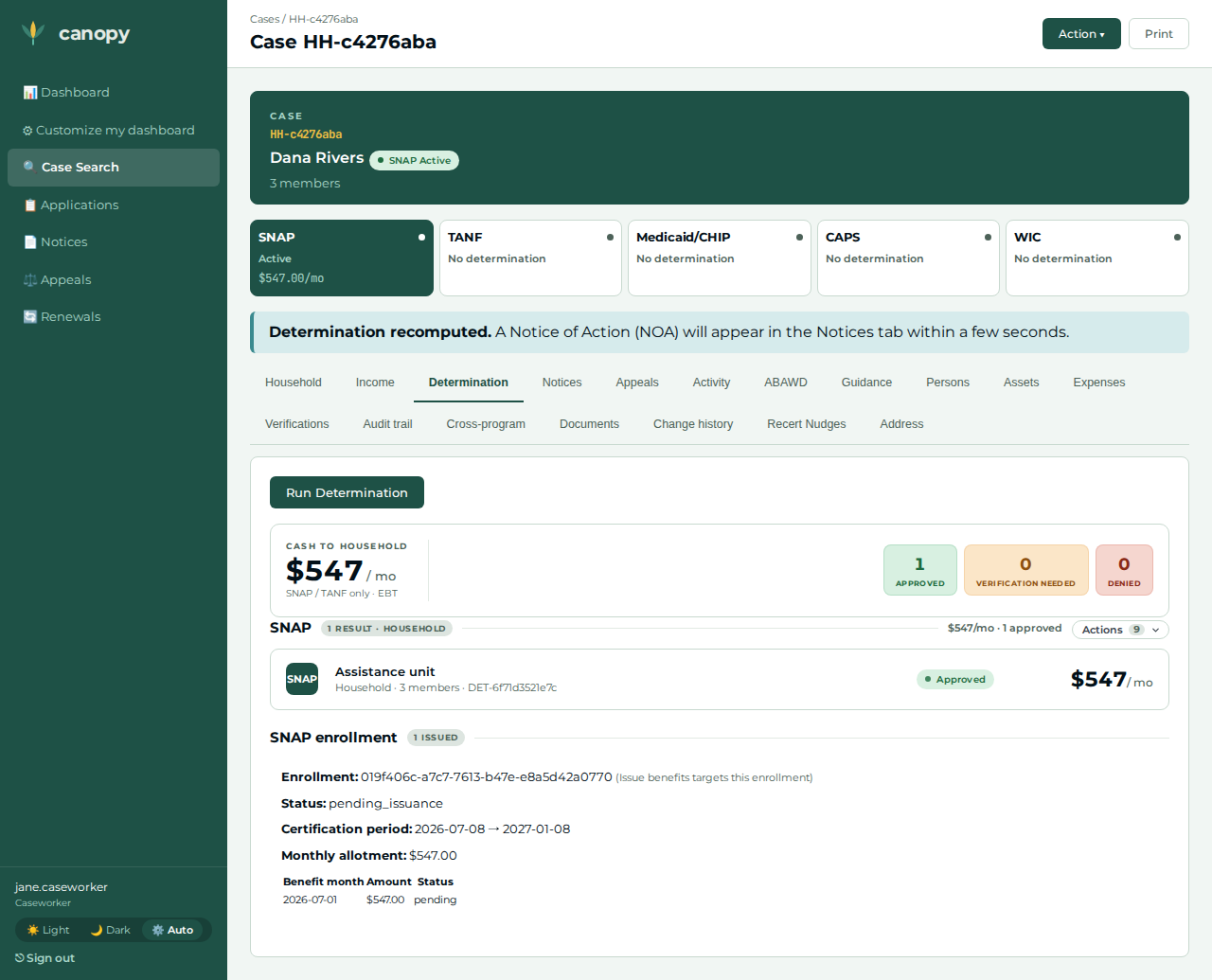
03 |
Caseworker |
Determination tab → Action ▾ → Run Determination. |
Approved with a monthly benefit — the precondition the Create certification action requires. |
|
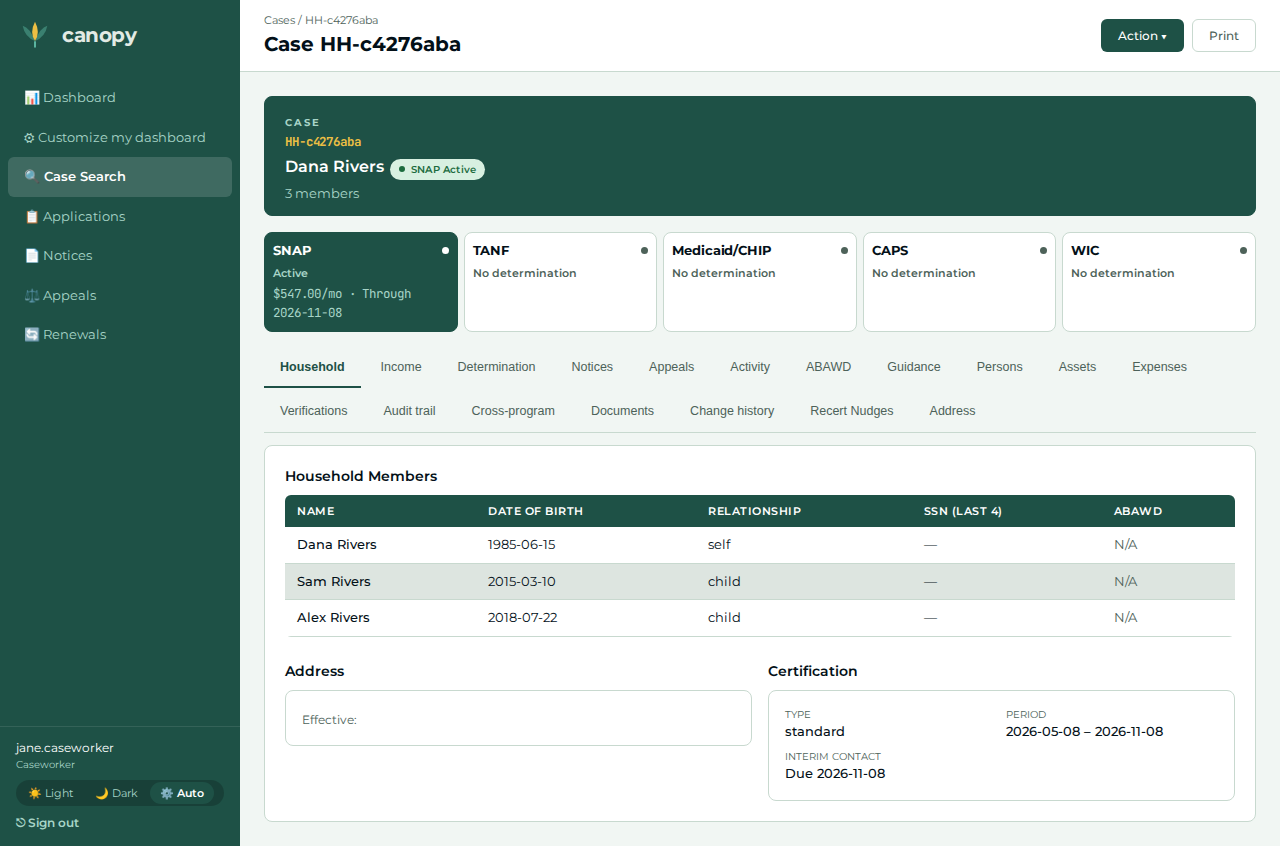
04 |
Caseworker |
Determination tab → the program group’s Actions panel → Create certification → enter the certification start and end dates → Create certification. |
Redirects to the Household tab, whose Certification card now shows the period (start – end) and type. |
|
05 |
Caseworker |
Expenses tab → + Add expense for the head → type rent, amount 600, frequency monthly, an effective date → Add. |
The rent row is recorded — the household’s baseline shelter cost, on file for the determination. |
|
06 |
Caseworker |
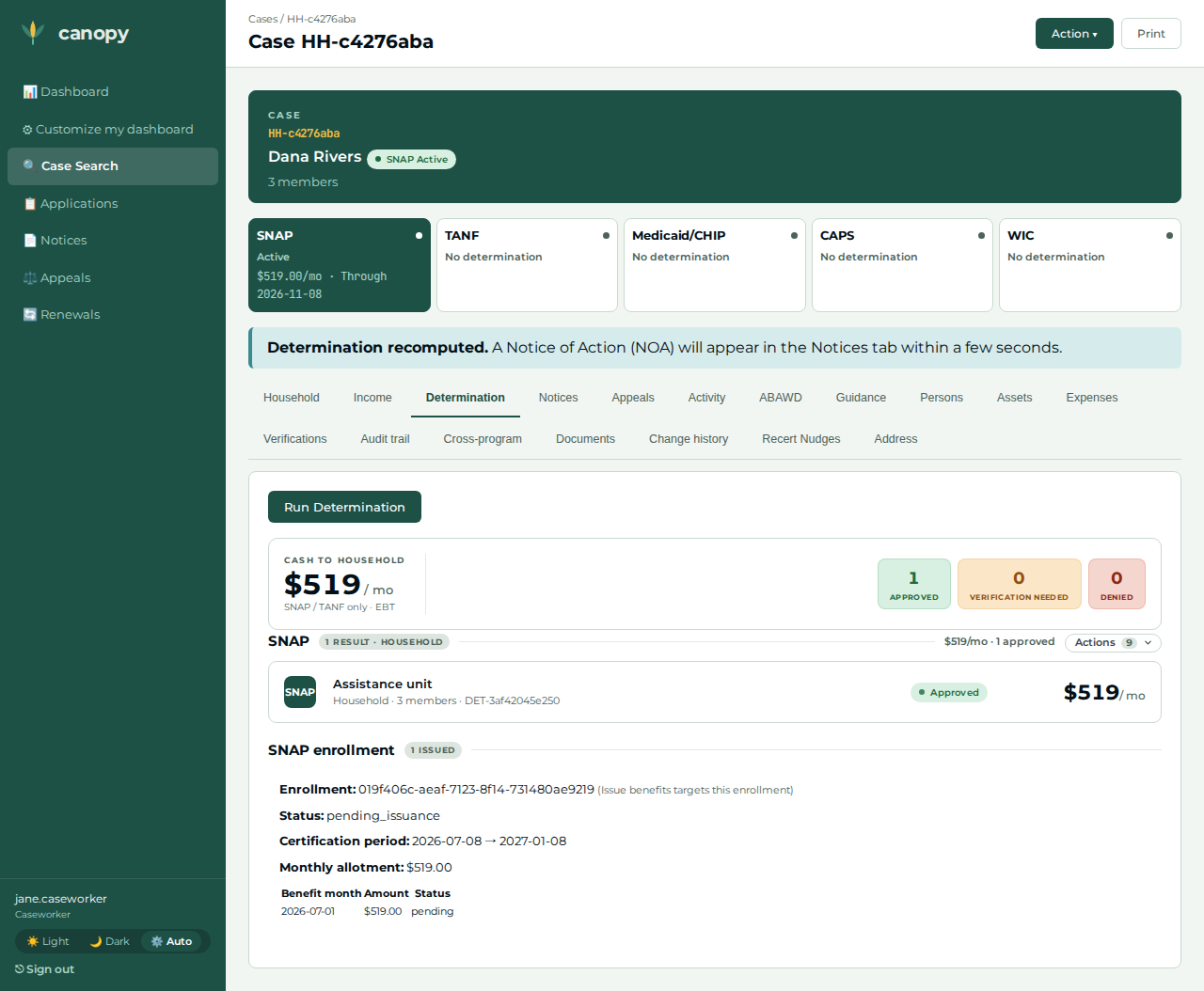
Determination tab → Action ▾ → Run Determination. |
Approved with a monthly benefit — the baseline, computed with the existing rent. |
|
07 |
Caseworker |
The household reports a move. Address tab → + Add address for the head → residential, 100 Oak St, Atlanta, GA 30301, an effective date → Add. (The portal-filed case has no address; this is the pre-move baseline the next step corrects.) |
A baseline residential address is on file for the head. |
|
08 |
Caseworker |
Address tab → the head’s Edit disclosure → rewrite to 250 Peachtree St NE, Atlanta, GA 30303 with an effective date → Save. |
Redirects to the Address tab; the corrected (moved-to) address renders — the recorded agency action. |
|
09 |
Caseworker |
Return to the Expenses tab → + Add expense for the head → type rent, amount 300, frequency monthly, an effective date → Add. (The move’s separate shelter-cost consequence — see the honest-scope note.) |
A second rent row is recorded; the household’s total shelter cost rises by the added amount ($600 → $900). |
|
10 |
Caseworker |
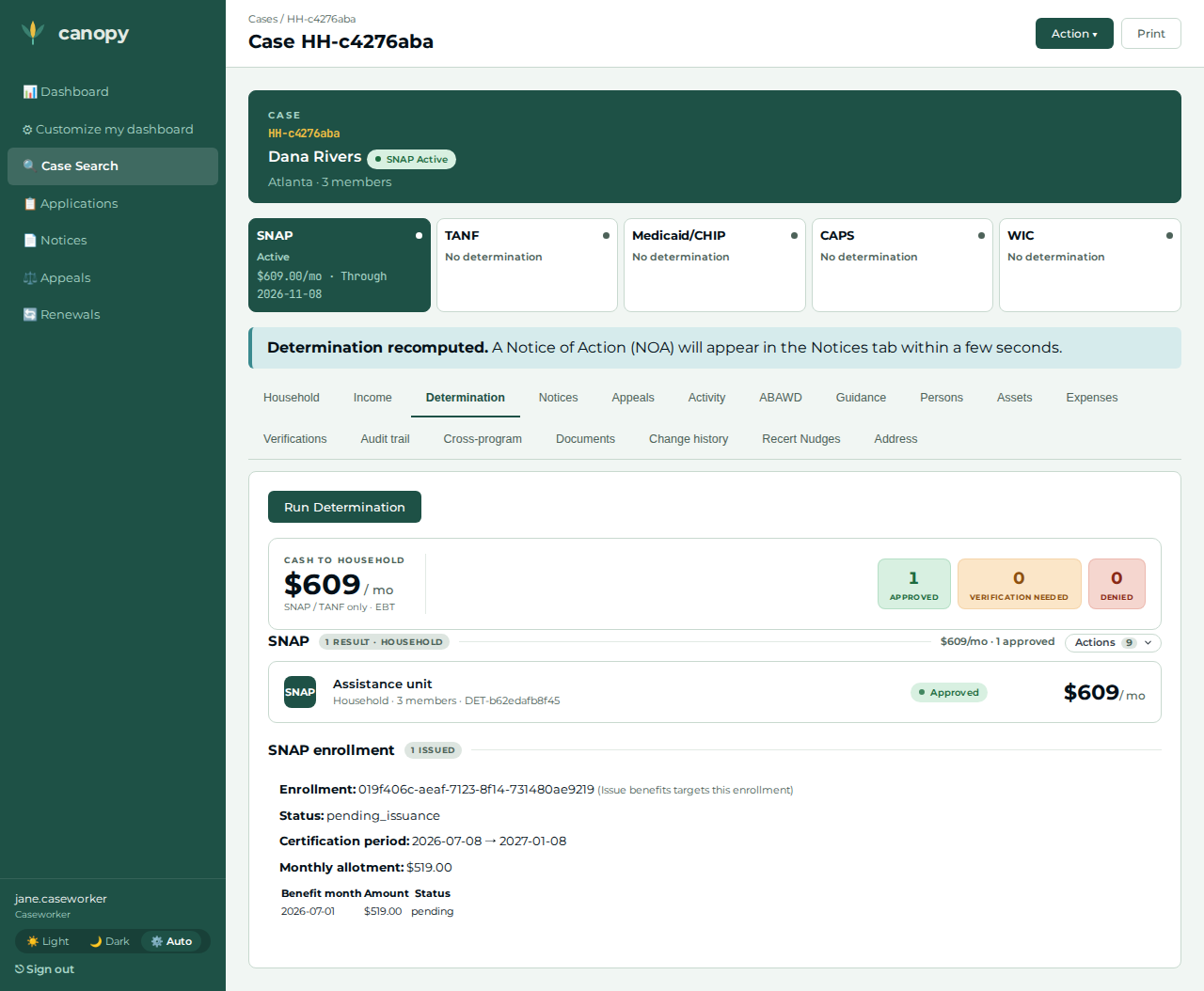
Return to the Determination tab → Action ▾ → Run Determination again. |
Still Approved, but the monthly benefit is higher than the baseline — the larger excess-shelter deduction lowered net income and raised the allotment. |
|
11 |
Caseworker |
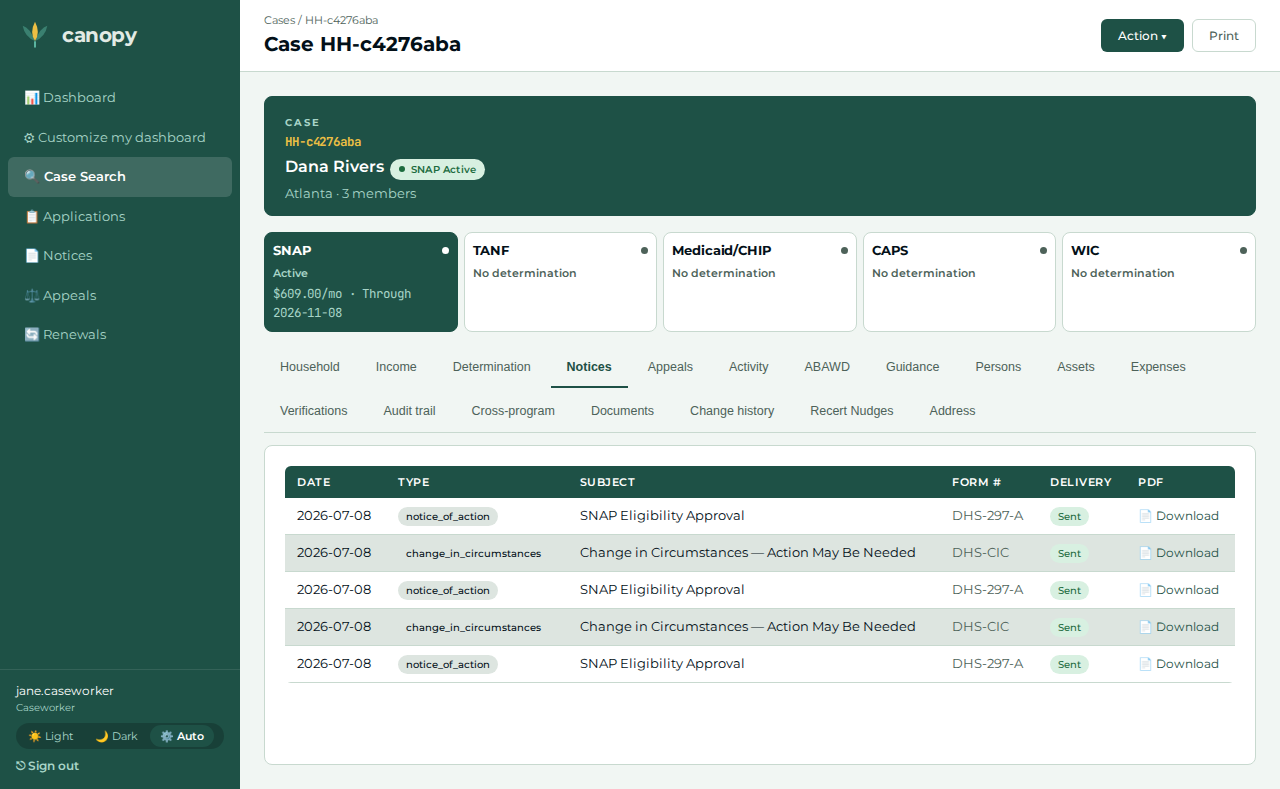
Open the Notices tab. |
A |
|
12 |
Applicant |
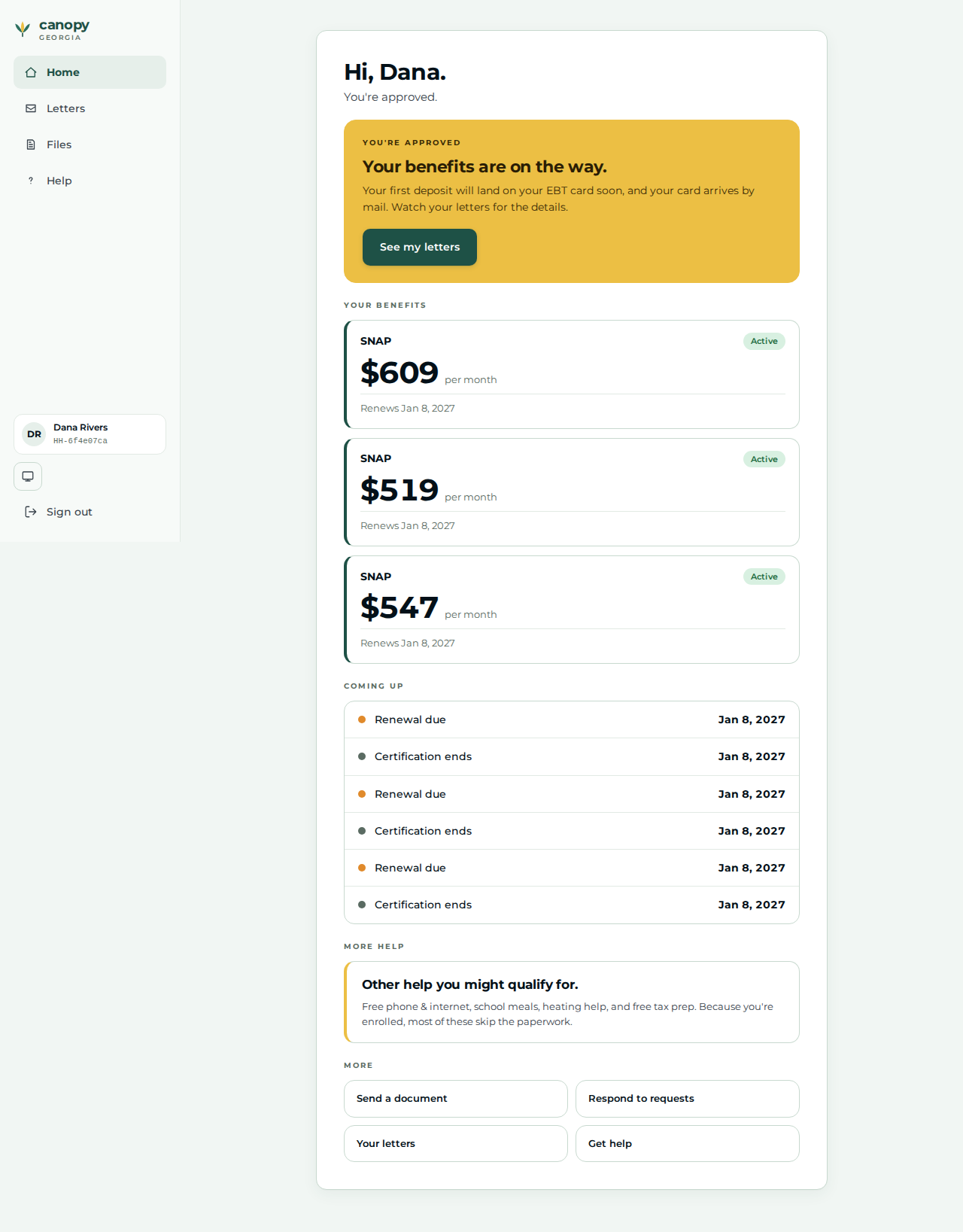
Sign back in at |
Lands on |
|
13 |
Applicant |
Open Letters → open the most recent letter. |
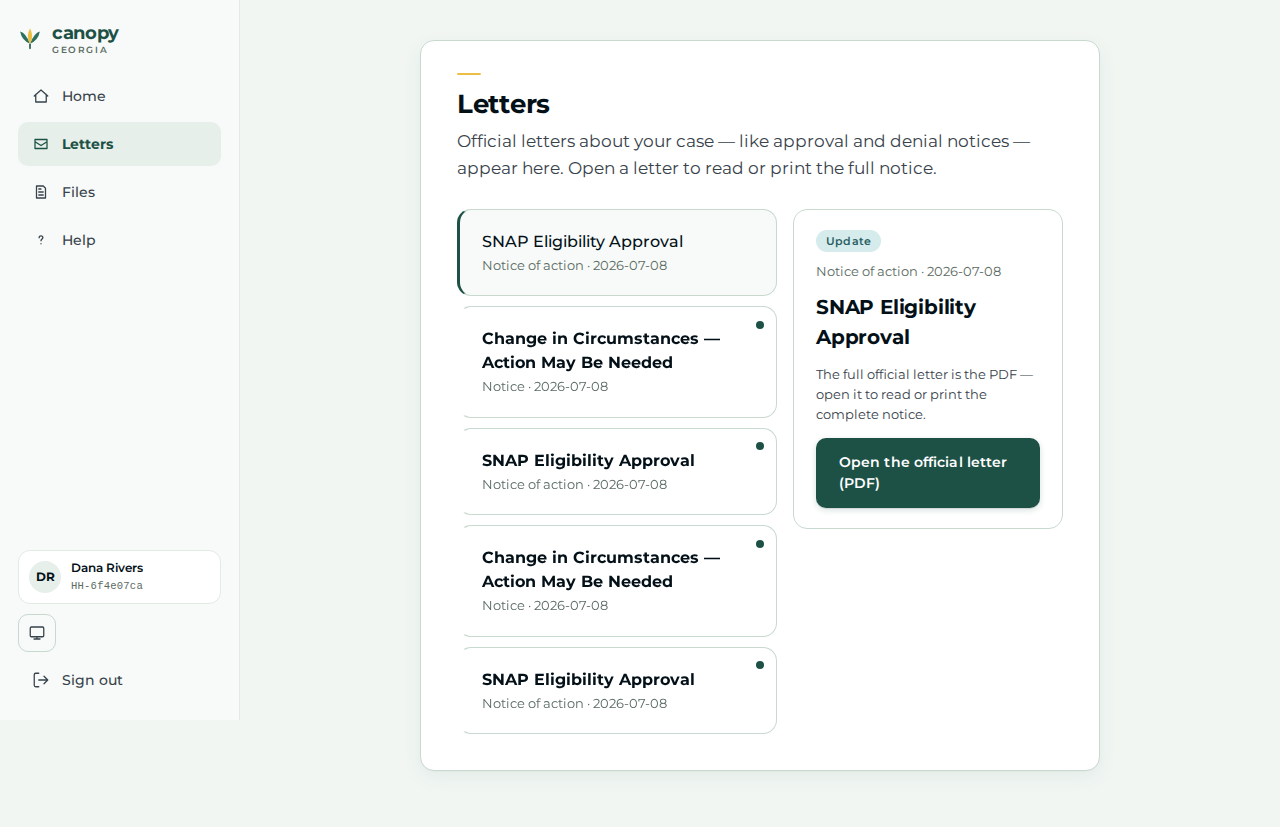
The caseworker’s Notice of Action appears on the applicant’s Letters page — the worker outcome reflected back to the applicant. |
|
Expected outcome / oracle
The oracle is a derived, relational comparison, never a dollar figure or a policy threshold:
-
The after-move determination benefit is strictly greater than the before-move benefit (steps 10 vs 06) — more shelter → a larger excess-shelter deduction → lower net income → a higher allotment.
-
The moved-to address (250 Peachtree St NE) renders on the worker Address section after the edit (step 08) — matched by the street the caseworker entered.
-
A Notice of Action row appears on the case Notices tab (step 11) and reflects back onto the applicant’s Letters page (step 13).
Because the assertion compares the two observed determinations to each other, the journey holds under any jurisdiction’s benefit values.
Honest scope
Mirrors the spec’s honest-scope comment:
-
The application is filed through the real applicant portal wizard (#991), not the
givenlibrary. The wizard collects identity + composition + an income-category screening (No one works right now); it authors no amounts, so the case’s actual wages, rent, and address are recorded by the caseworker (the authoritative facts). This mirrors canopy’s design: the portal quick-check is a screening estimate; the worker records the verified figures. -
The move is recorded through the real worker Address editor (#983): the caseworker adds a pre-move baseline address (the portal-filed case carries none), then records the move as a valid-time correction — the literal agency-action trigger of 7 CFR 273.12(a)(1). The rent increase is the move’s separate shelter-cost consequence and remains the driver of the benefit oracle (address ≠ shelter cost), so both beats are present.
-
The cascade shown is the deduction recompute on a reported, acted-on change, not the "request shelter verification → household fails to verify → remove the deduction" sub-flow (which needs RFI / clarification machinery the system does not model yet).
-
Shelter is the sum of shelter-cost rows. A move to pricier housing is modelled by adding a rent row on top of the existing rent (the expense endpoint adds, it does not edit), so the household’s total shelter cost rises by the added amount.
Verifying the journey
cargo xtask e2e --devstack-profile full -- \
  specs/journey-snap-shelter-cascade.spec.ts --project journey
The spec files a size-3 SNAP application through the real /apply wizard on an
unauthenticated applicant context, then drives the worker steps above through the
portal BFF — recording the head’s wages, running the enabling determination,
opening the certification, recording the baseline rent, running the baseline
determination, adding a baseline address and recording the move through the
Address editor, recording the higher rent, re-determining, and asserting the
benefit strictly rises — before the applicant signs back in to view the home and
the Notice of Action. It captures the step screenshots into
test-results/e2e/walkthroughs/… for commit into
docs/modules/ROOT/assets/images/walkthroughs/….