Journey: SNAP intake → determination → Notice of Action (within 30 days)
On this page
A side-by-side, two-persona journey: an applicant files a SNAP application through the real served applicant portal; a caseworker records the household’s wage, runs the determination, and a written Notice of Action (NOA) is generated; then the applicant signs back in and reads the approval. This is the file → determination → notice arc that 7 CFR 273.2(g)(1) bounds to 30 days — canopy determines synchronously, so the NOA appears within seconds, well inside the ceiling.
Reproducibility tier: Fully manual. Both personas can be driven entirely by
hand in the two portals — the applicant files in the real /apply wizard and
the caseworker acts in the real worker portal — with no harness or given-library
scaffolding. A live demo is exactly the click-path below.
This walkthrough is paired with the automated spec
tests/e2e/specs/journey-snap-thirty-day-determination-noa.spec.ts, covering
scenario snap.intake.thirty-day-determination-noa. The screenshots below are
captured by that spec. See Verifying the journey to run it.
What this journey shows
-
An applicant files a SNAP application through the served portal
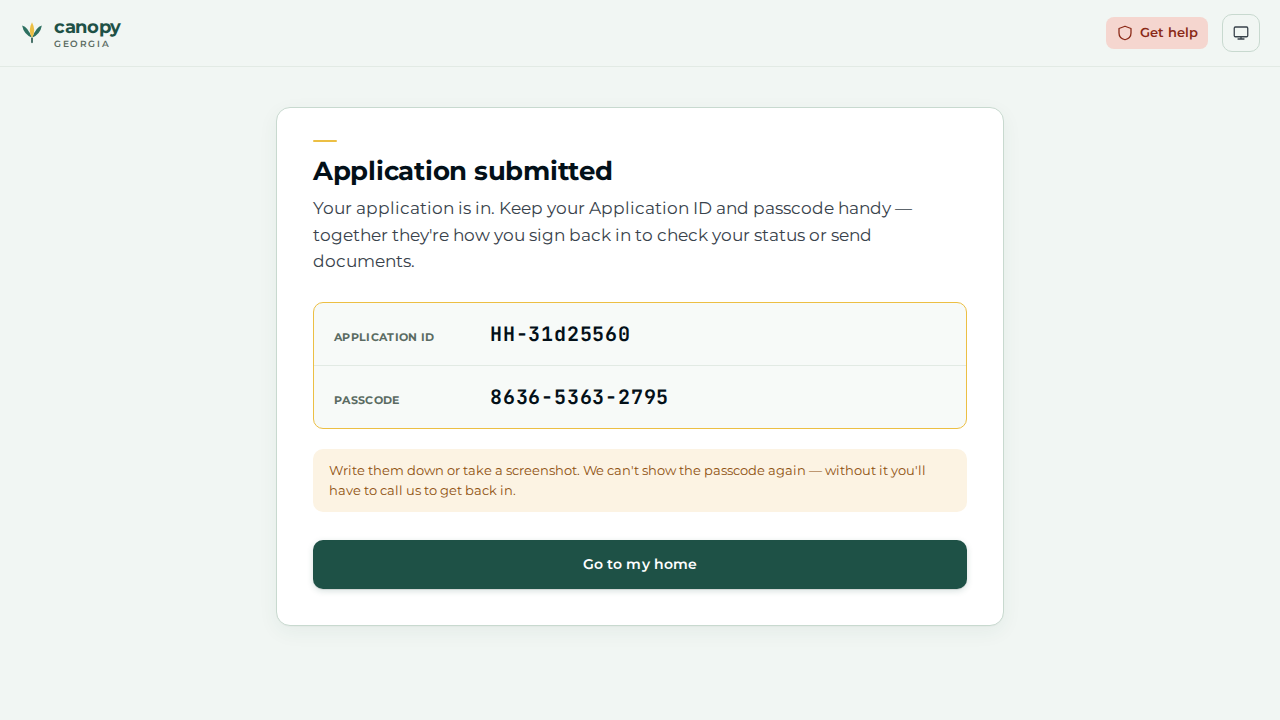
/applywizard; a reference number (HH-…) + 12-digit passcode are issued on submission. -
The filed application lands in the caseworker’s My queue as a
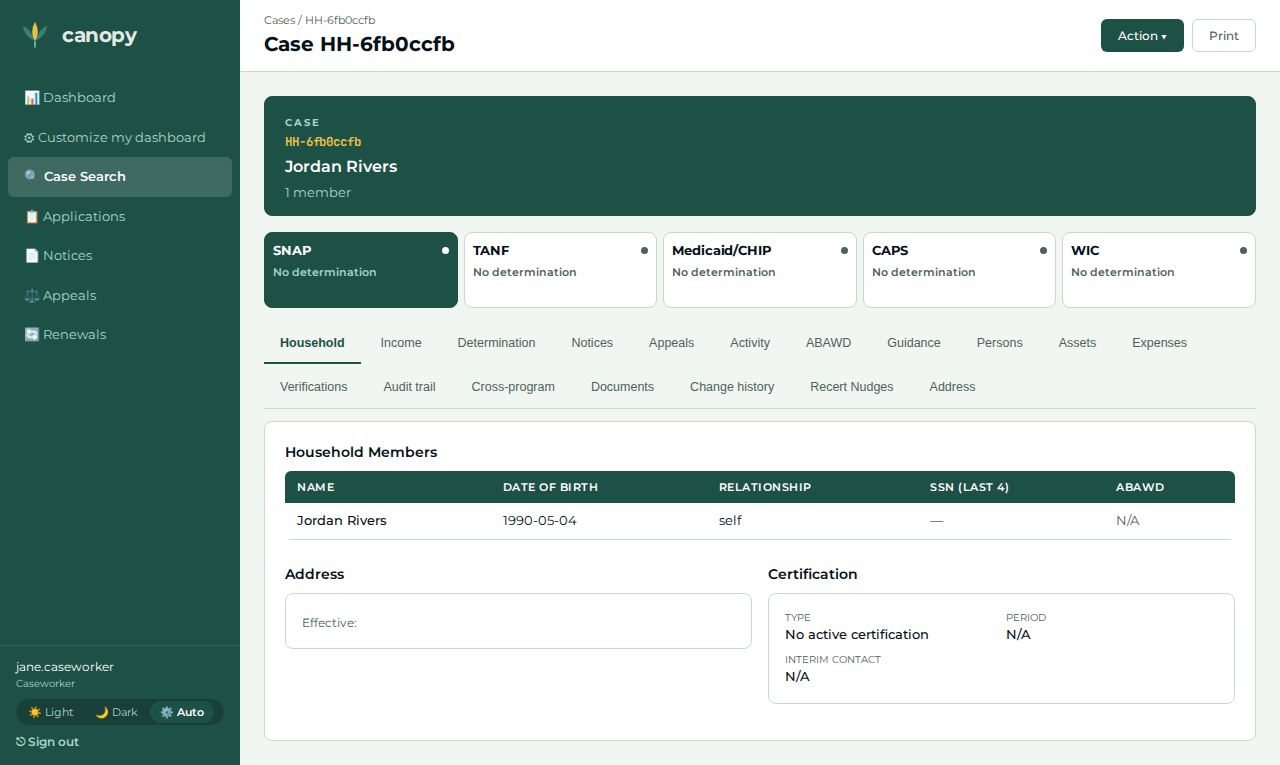
SubmittedSNAP case. -
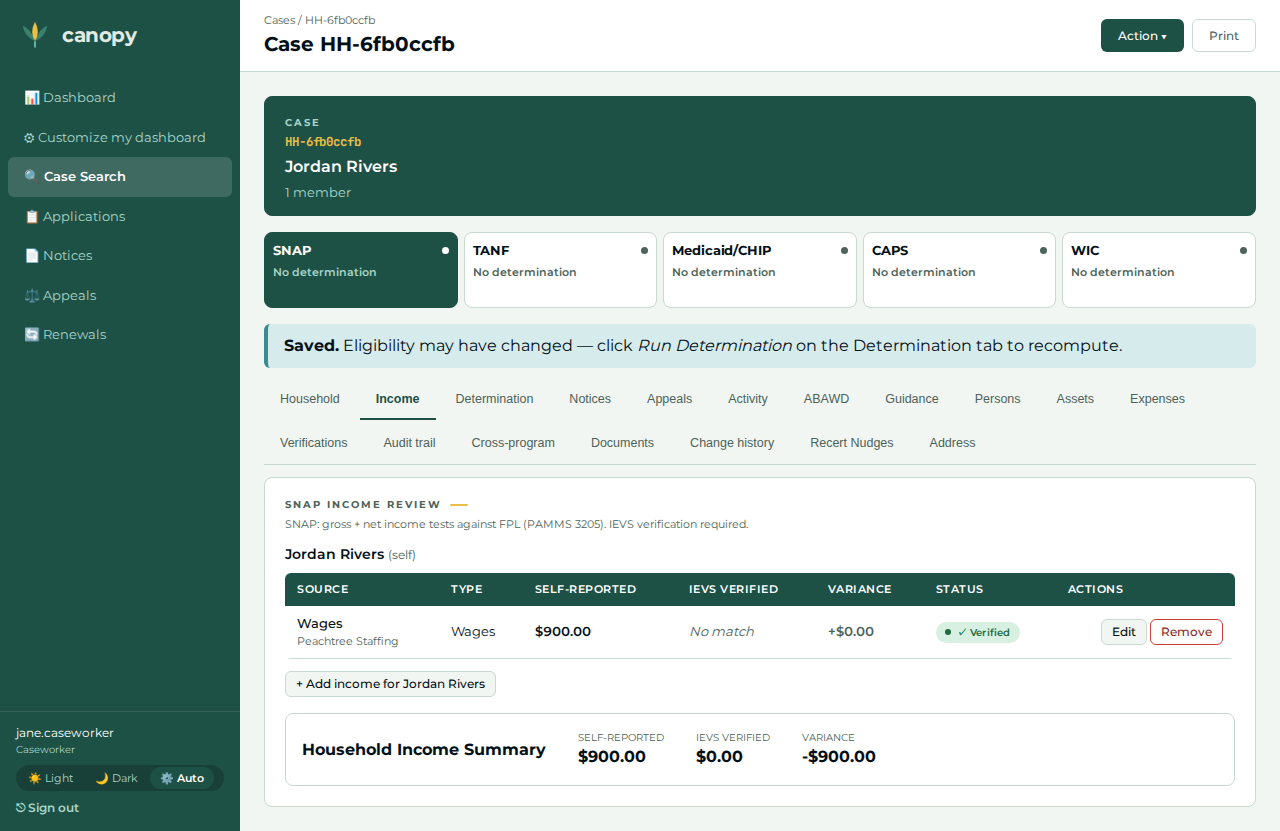
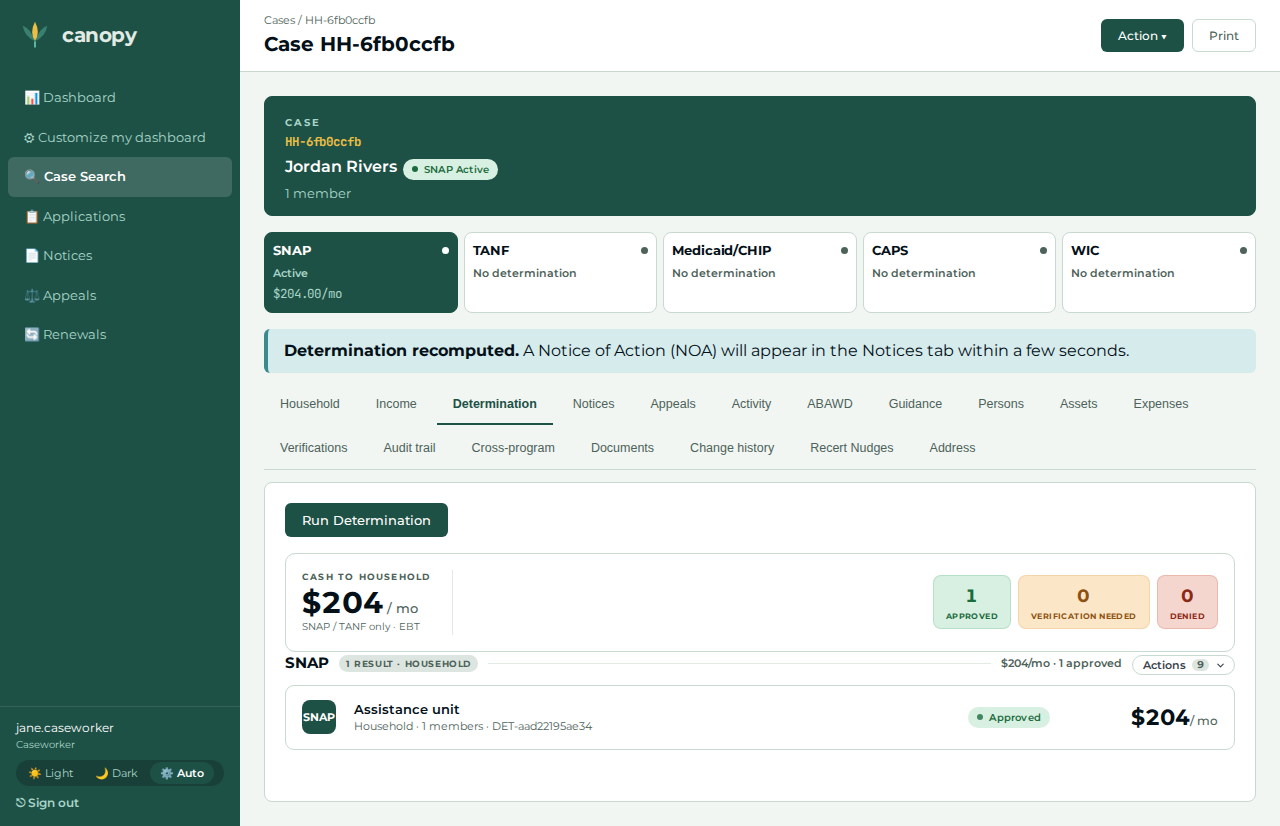
The caseworker records the household’s wage (the portal captures income categories, never amounts), then runs the SNAP determination through the worker portal; the household is approved with a positive monthly benefit.
-
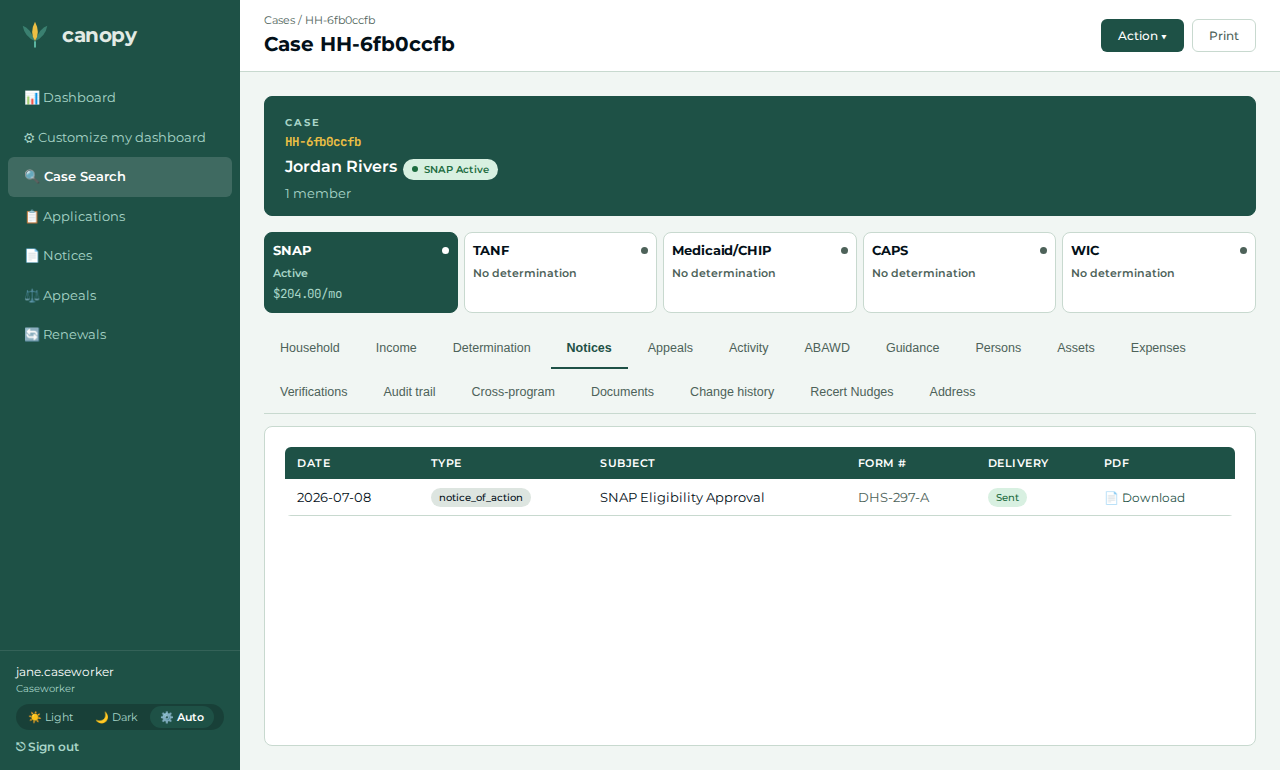
A written Notice of Action (SNAP Eligibility Approval, form DHS-297-A) is generated and delivered — visible on the case Notices tab.
-
The applicant signs back in at
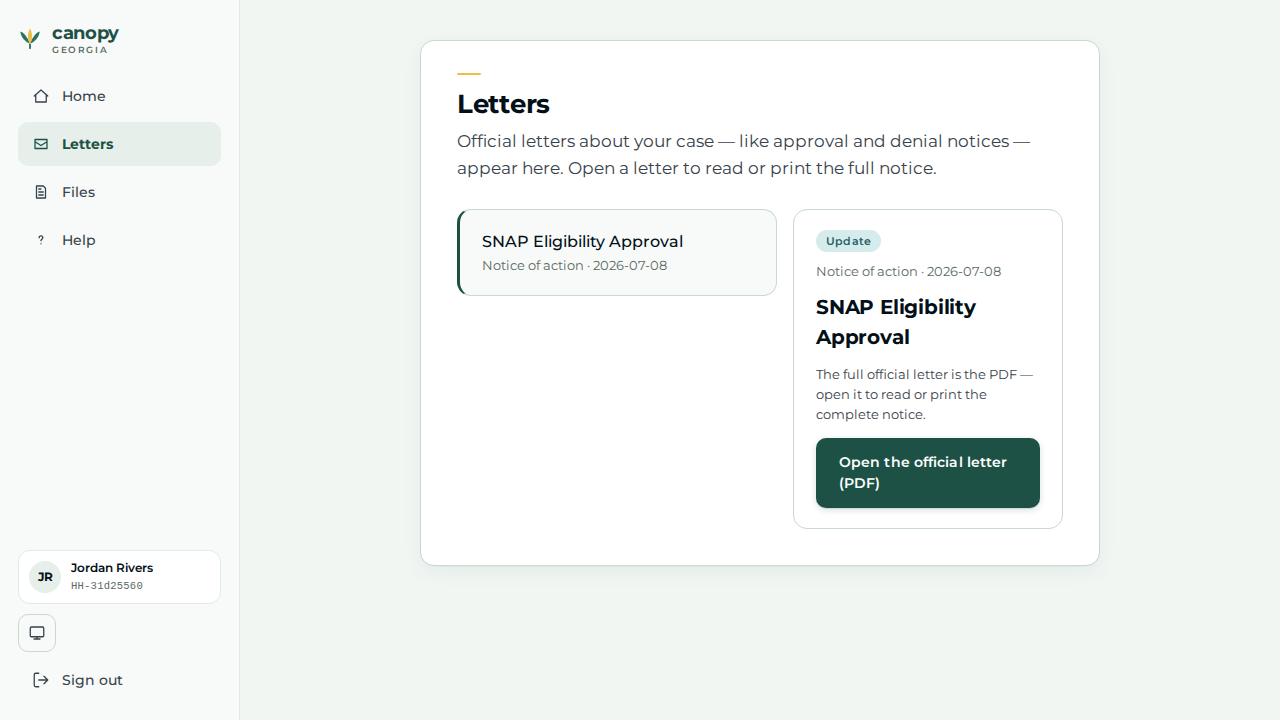
/lookupand reads the approval NOA on their Letters page.
Personas & credentials
| Persona | Credentials / identity | Role in the journey |
|---|---|---|
Applicant (Jordan Rivers) |
Files at the portal |
Files the SNAP application; later views the approval + NOA. |
Caseworker |
Worker portal, Keycloak login |
Records the wage, runs the determination, confirms the NOA. |
Bring-up & reset
cargo xtask dev start --profile full     # every service + the applicant portal
cargo xtask seed --seed 42               # deterministic fixtures
# reset between runs:
cargo xtask migrate rollback             # restore the golden snapshot (Postgres only)
# + open a fresh browser context / incognito window per run
The Demo Runbook owns the full bring-up + reset + credential detail; this journey files a brand-new applicant, so no pre-seeded cast member is required.
Concrete precondition
The journey depends on exactly these applicant inputs:
-
Household composition: head of household only — Jordan Rivers, DOB 1990-05-04, phone 404-555-0100, address 100 Demo St, Atlanta, GA 30303. No other members.
-
Income the caseworker records (the portal never captures the amount): wages, $900 / month, effective today, employer Peachtree Staffing.
-
No expenses and no additional address are recorded — this journey does not exercise the expense or address editors. (The portal drops the apply address at finalize; the approval here turns only on the recorded wage.)
The $900 wage is a construction input chosen to clear the SNAP gross-income test and yield a positive allotment in any jurisdiction fixture — never an asserted threshold.
The walkthrough, step by step
| # | Screen | Action | Expected | Screenshot |
|---|---|---|---|---|
01 |
Applicant |
Open the portal |
An Application submitted screen reveals a reference number ( |
|
02 |
Caseworker |
Log into the worker portal ( |
The household’s SNAP case detail opens as |
|
03 |
Caseworker |
Open the case → Income tab → + Add income for Jordan Rivers → record wages, $900 / month, effective today, employer Peachtree Staffing → Save. |
The wage appears on the Income tab (the portal filed no amount; the worker supplies it — the intake data-collection beat). |
|
04 |
Caseworker |
Open the case → Action ▾ → Run Determination. |
The SNAP determination returns Approved with a positive monthly benefit; a banner reads "Determination recomputed. A Notice of Action (NOA) will appear in the Notices tab within a few seconds." |
|
05 |
Caseworker |
Open the Notices tab. |
A |
|
06 |
Applicant |
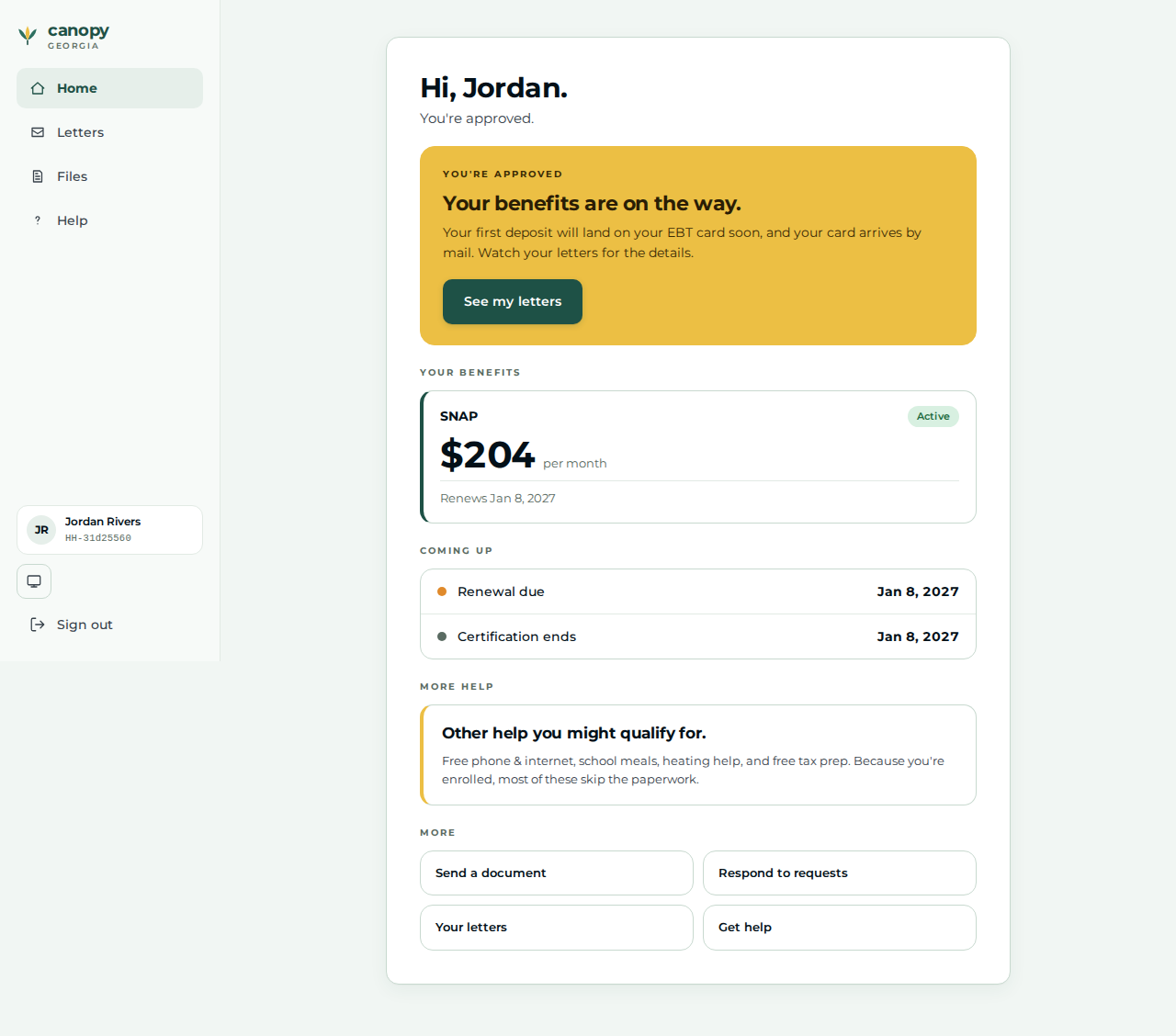
Sign back in at the portal |
The home greeting renders ( |
|
07 |
Applicant |
Open Letters → open the most recent letter. |
The approval Notice of Action appears as the applicant’s letter — the worker’s NOA reflected across to the applicant portal. |
|
Expected outcome / oracle
The relational oracle (no literal policy dollar or threshold is asserted): a
portal-filed SNAP application reaches an Approved determination with a
positive monthly allotment (benefit > 0); a Notice of Action row appears on
the case Notices tab (the case started with zero notices); and that NOA reflects
across to the applicant’s Letters page when they sign back in. The recorded
$900 wage is a construction input, not an oracle.
Honest scope
The scenario’s "interview / provides verification / worker completes data collection" beats are review steps a caseworker performs on a case the applicant already populated. If the portal-filed application carries an open verification, Run Determination is blocked until the worker accepts the supporting document (Verifications / Documents tab) — resolve it first, then continue at step 04. The automated oracle asserts the file → determine → NOA spine; interview conduct and document adjudication beyond that resolution are not modelled.
Verifying the journey
cargo xtask e2e --devstack-profile full -- \
  specs/journey-snap-thirty-day-determination-noa.spec.ts --project journey
The spec files the SNAP application through the real served portal /apply
wizard on an unauthenticated applicant context, drives the worker steps above
through the portal BFF (records the wage, runs the determination), asserts the
approved determination with a positive allotment and the delivered NOA, has the
applicant sign back in to read the letter, and captures the step screenshots into
test-results/e2e/walkthroughs/… for commit into
docs/modules/ROOT/assets/images/walkthroughs/….
See also
-
Demo Runbook (bring-up, reset, credentials)
-
Journey Walkthroughs (the pairing overview)